
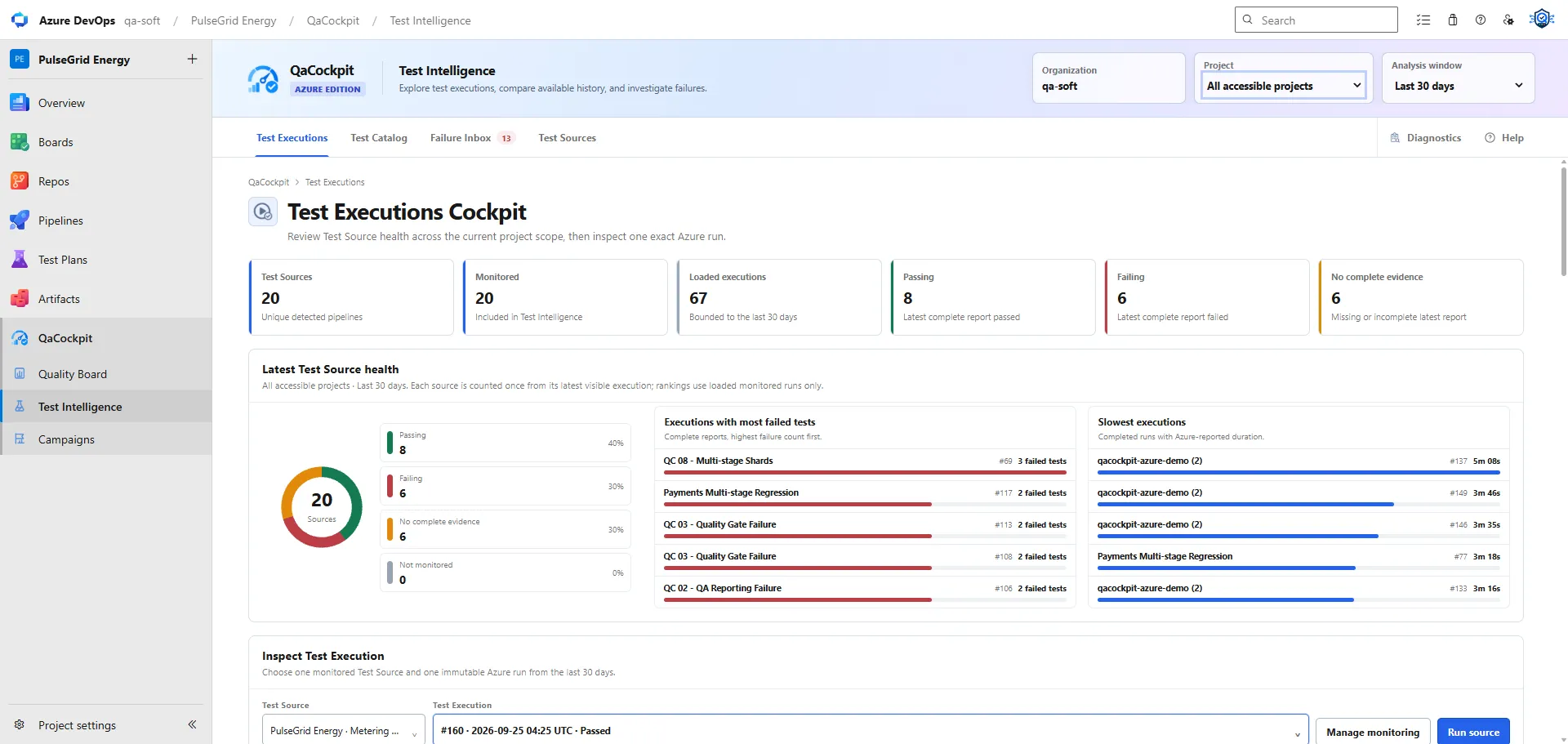
Azure DevOps test reporting involves several related but different data layers. A pipeline has a lifecycle and result. A test-publishing task can create Azure Test Results. A retained artifact can preserve the original JUnit XML and framework diagnostics. A quality view can then correlate that evidence with expected scope and history.
Confusion begins when those layers are treated as interchangeable.
Pipeline execution is the outer container
An Azure Pipeline run records the orchestration context: project, pipeline definition, branch, commit, stages, jobs, tasks, timing, and conclusion. It can fail because tests failed, a deployment failed, an agent disappeared, a script crashed, or a policy canceled the run.
That makes pipeline state essential, but not sufficient for test reporting. Succeeded
does not say how many tests were expected, whether the test task ran, or whether a report
was published. Failed does not say whether the failure was a product defect or a broken
agent.
Keep provider lifecycle and test outcome as separate fields.
Azure Test Results are structured provider data
Microsoft’s PublishTestResults@2 task accepts supported result formats including JUnit
and publishes test results into Azure Pipelines. The Azure DevOps Test APIs can return
test runs and individual results with fields such as outcome, automated test identity,
error message, timing, and build association.
This provider-native view is useful because users can inspect tests in Azure DevOps and extensions can work with documented APIs when their manifest scopes and the current user’s permissions allow it.
It still has operational boundaries:
- the publishing task must find the correct files
- the task must run after failed tests when evidence is required
- large or numerous result sets require correct pagination and limits
- framework-specific diagnostics may not fit into the normalized result fields
- a published result does not by itself define release scope across pipelines
Microsoft documents a dedicated read scope for Test artifacts. The QaCockpit extension must publish its actual manifest scopes from the stable build rather than assuming that a general read scope or Cloud credential model applies.
JUnit XML is the portable source report
JUnit XML is not one perfectly uniform standard, but it is a practical interchange format across Playwright, JUnit, pytest, NUnit adapters, and many other frameworks.
A useful JUnit report can preserve:
- suite and test names
- pass, failure, error, and skipped outcomes
- duration
- failure message and stack trace
- stdout and stderr where the producer includes them
- framework-specific properties that a tolerant importer can map safely
The original file is valuable when a downstream system needs to re-parse a dialect, audit the normalized result, or keep the exact report associated with a provider run. That is why teams often retain the JUnit directory as a Pipeline artifact even when they also publish the results into Azure’s test view.
Retained artifacts preserve diagnostic depth
Azure Pipelines can publish files or directories as Pipeline artifacts in Azure DevOps Services. Azure DevOps Server uses Build artifacts for the comparable retained-file use case. The product and task version must match the environment.
Artifacts can contain more than JUnit:
- browser screenshots and video
- Playwright traces and HTML reports
- safe application or test logs
- response bodies or snapshots that contain no secrets/customer data
- coverage or other supporting evidence
Retention is not automatically correlation. The report and diagnostics must remain tied to the exact pipeline run and attempt. Matrix jobs and shards need unique paths or artifact names so one result cannot overwrite another.
One pipeline can expose all three layers
A robust test pipeline may intentionally produce:
- a pipeline conclusion for orchestration
- Azure Test Results for provider-native review
- a retained JUnit file and diagnostics for portable evidence
These are complementary. Publishing the same XML to Azure and retaining it is not wasteful when each path has a clear consumer and retention policy. The problem is claiming that one layer exists merely because another one does.
For example:
| Observed state | Safe conclusion |
|---|---|
| Pipeline succeeded, no test run | Orchestration succeeded; test evidence is absent |
| Pipeline failed, complete failed tests | Test evidence exists and contains failures |
| Azure test run exists, no retained diagnostics | Structured results exist; deeper artifacts may be unavailable |
| JUnit artifact exists, no Azure test run | Portable report exists; provider-native test publication is absent |
| Partial shard reports | Observed tests are not the complete expected scope |
Result discovery and intake need their own state
An extension or reporting layer still has to discover the right run, read the supported result path, validate it, and correlate it with a Test Source.
That boundary can fail because of:
- current-user permission or manifest-scope limitations
- pagination, throttling, or transient provider errors
- missing build/test-run correlation
- invalid or oversized result content
- expired or deleted artifacts
- duplicate delivery and idempotency behavior
- a rerun producing a new attempt
- a source configuration pointing to the wrong pipeline or branch
Expose this as awaiting, complete, partial, missing, invalid, or another precise
state. Do not convert an intake failure into a passed or failed test outcome.
Expected scope completes the reporting model
Even valid structured results only describe what was observed. Expected scope answers what should have reported.
Compare:
- required Test Sources across pipelines
- expected suites or test identities
- matrix legs and shards
- environment/browser dimensions
- report counts and freshness
- the fixed Campaign or release context
This reveals silent gaps: a missing shard, excluded suite, old successful run, or source that never participated. The result is an evidence-completeness signal rather than a larger pass-rate number.
The QaCockpit extension keeps the evidence paths explicit
QaCockpit for Azure DevOps uses Azure Test Run and Result APIs, with bounded recovery from compatible retained JUnit artifacts. Published results and retained files remain subject to Azure DevOps access and retention. The extension documentation records its supported paths and current limits.
The product contract keeps these facts explicit:
- its exact read and command scopes
- the provider API or artifact path used for results
- pagination, throttling, size, and retention behavior
- current-user and cross-project access
- storage and external network calls
- partial and missing evidence states
- diagnostic artifact access and redaction boundaries
That documented implementation—not positioning language—determines the setup guide and the conclusions a user can reasonably draw from the available evidence.
For pipeline examples used by QaCockpit Cloud, see the Azure DevOps JUnit artifact guide. For the Marketplace release contract, follow Permissions & data.
Official Microsoft references: PublishTestResults@2, Azure DevOps Test Results API, and Pipeline artifacts.