Stay in context
Work inside Azure DevOps
Use QaCockpit without creating a separate Cloud workspace for the normal extension workflow.

QaCockpit for Azure DevOps
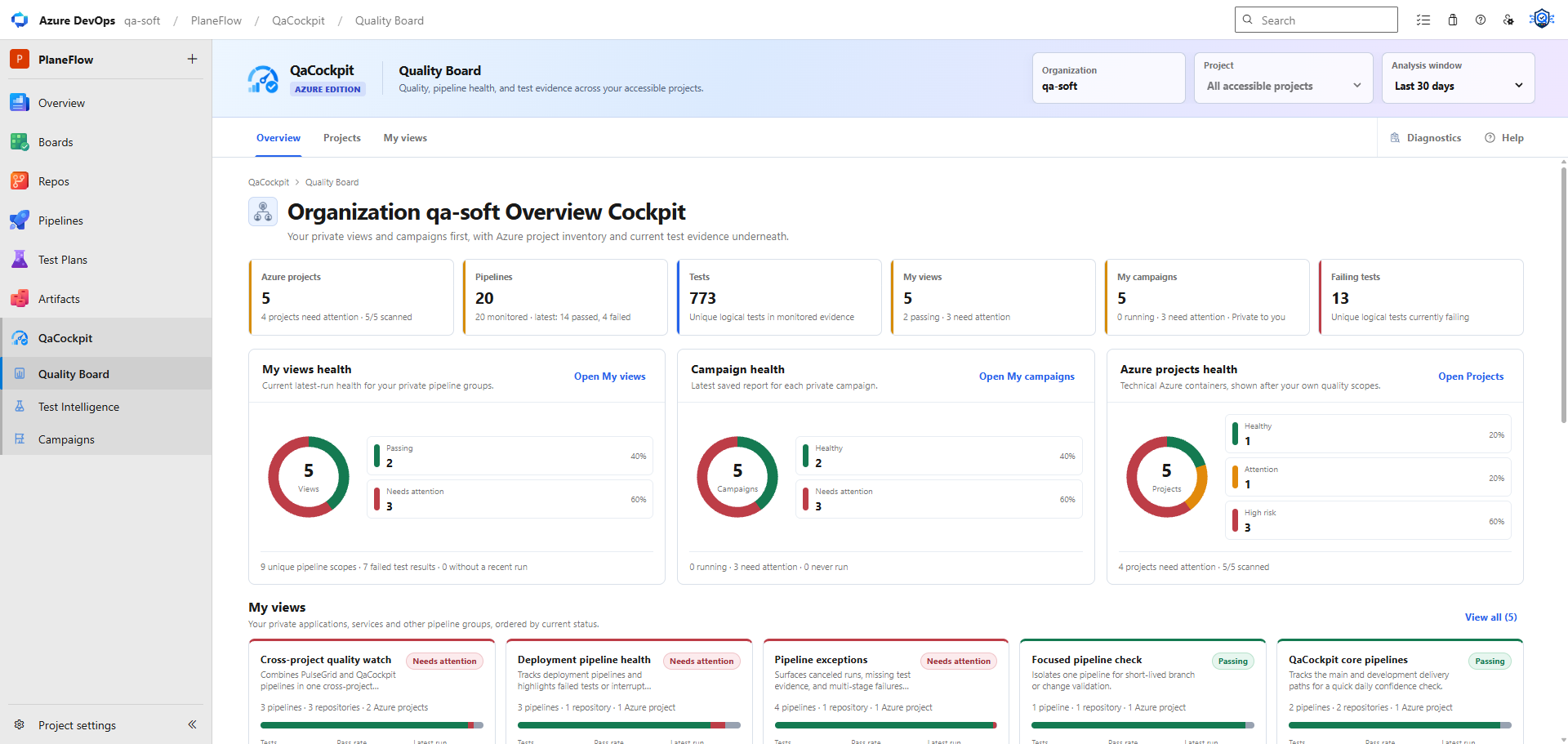
Choose the pipelines and Test Sources that matter to you, see where pipeline time and test evidence go, and follow every signal back to its exact Azure DevOps run. QaCockpit organizes the picture; your team decides what it means.
Installed for the organization, hidden by default. After installation, enable QaCockpit only for yourself in User settings > Preview features, or let an administrator enable it for the organization.
QaCockpit for Azure DevOps
Free release visibility check
Check how your team brings results together, notices missing evidence and makes release decisions. Get practical next steps, with no account or email required.
Azure-native experience
The Marketplace edition is designed for organizations that want the quality picture where their projects and pipelines already live.
Stay in context
Use QaCockpit without creating a separate Cloud workspace for the normal extension workflow.
See the organization
Start with projects that need attention, then follow the signal to its exact source and execution.
Keep execution
QaCockpit organizes quality evidence; it does not replace Azure Pipelines or your test frameworks.
Respect access
Viewing evidence does not grant pipeline commands. Queue and Stop use your native Azure permissions and require the disclosed vso.build_execute extension scope.
Pipeline Intelligence
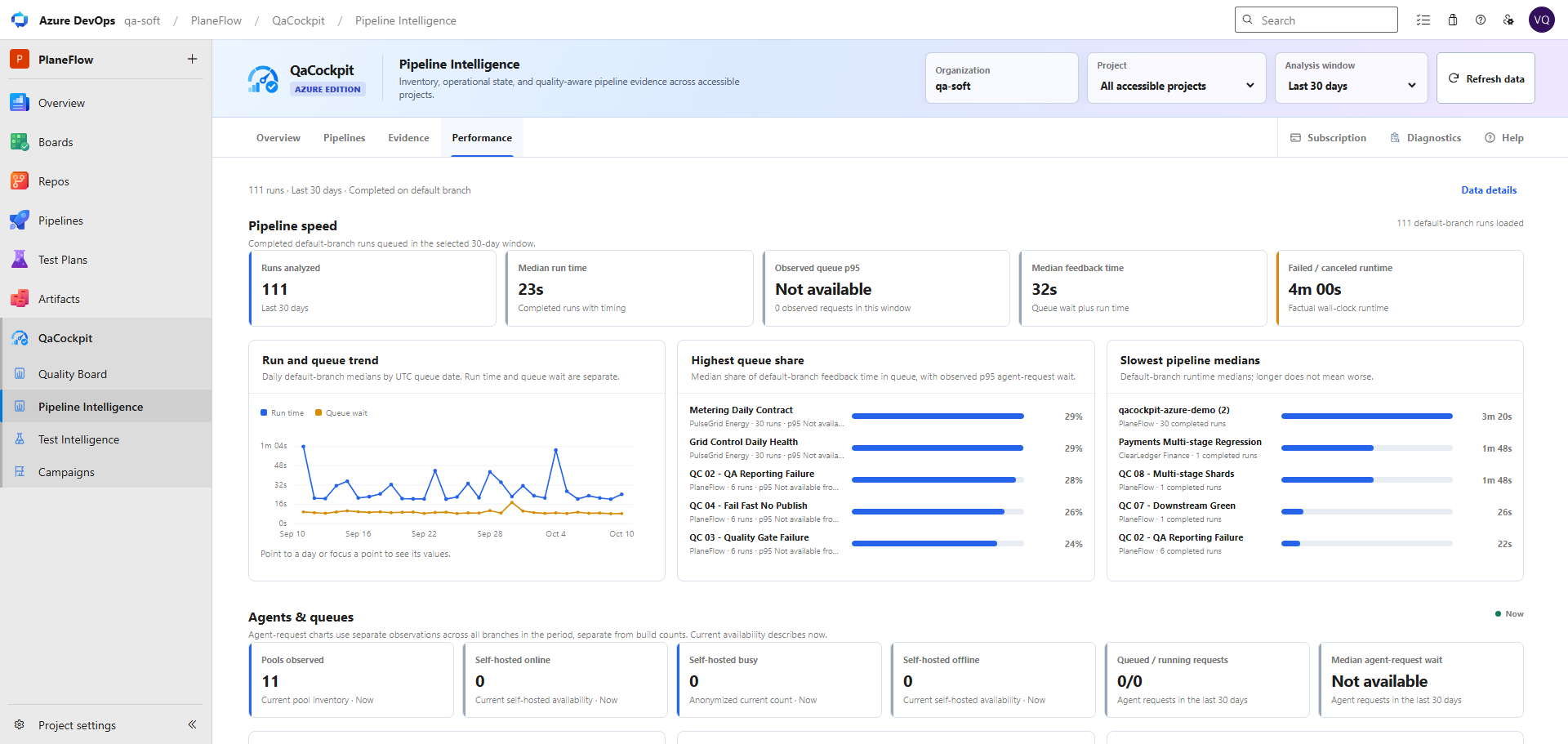
Review the available retained history for 7, 14, or 30 days. Overview uses all branches queued in the selected window. Performance uses completed default-branch runs and keeps run time, queue wait, and feedback time separate.
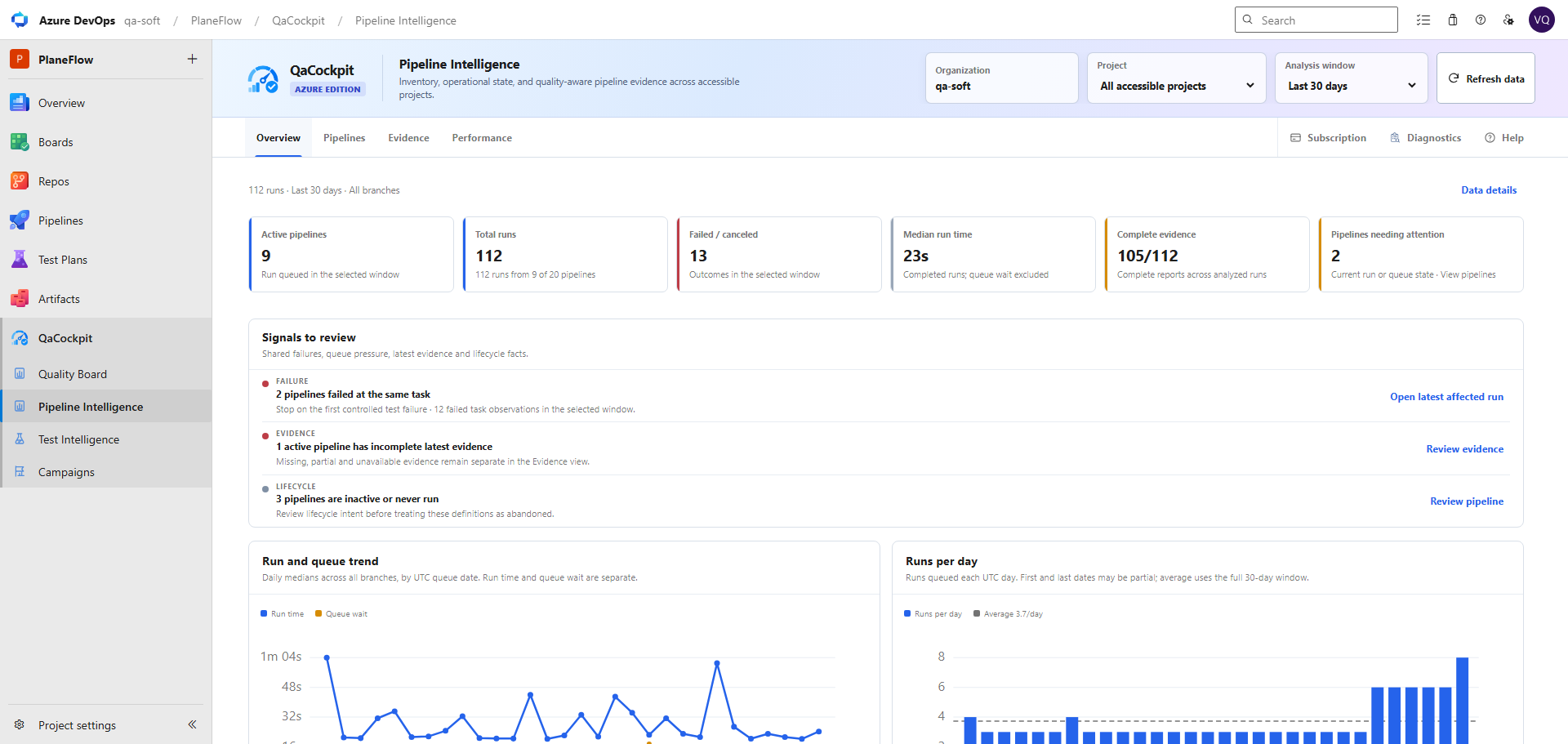
Overview
Review active pipelines, outcomes, report completeness, operational signals, and daily activity across accessible projects.
Pipelines
Filter definitions, review their current state, and open the exact failure or source context available to you.
Evidence
Distinguish complete, partial, missing, and unavailable test evidence instead of treating a completed pipeline as proof.
Performance
Compare run and queue trends, pipeline medians, and exact-run stage, job, task, and anonymized concurrency facts.
Read the Pipeline Intelligence guide for metric boundaries, exact-run drill-down, permissions, and unavailable states.
Connected drill-down
QaCockpit points to failures, stale results, and missing evidence without replacing the scope and release decisions owned by your team.
Regression campaigns
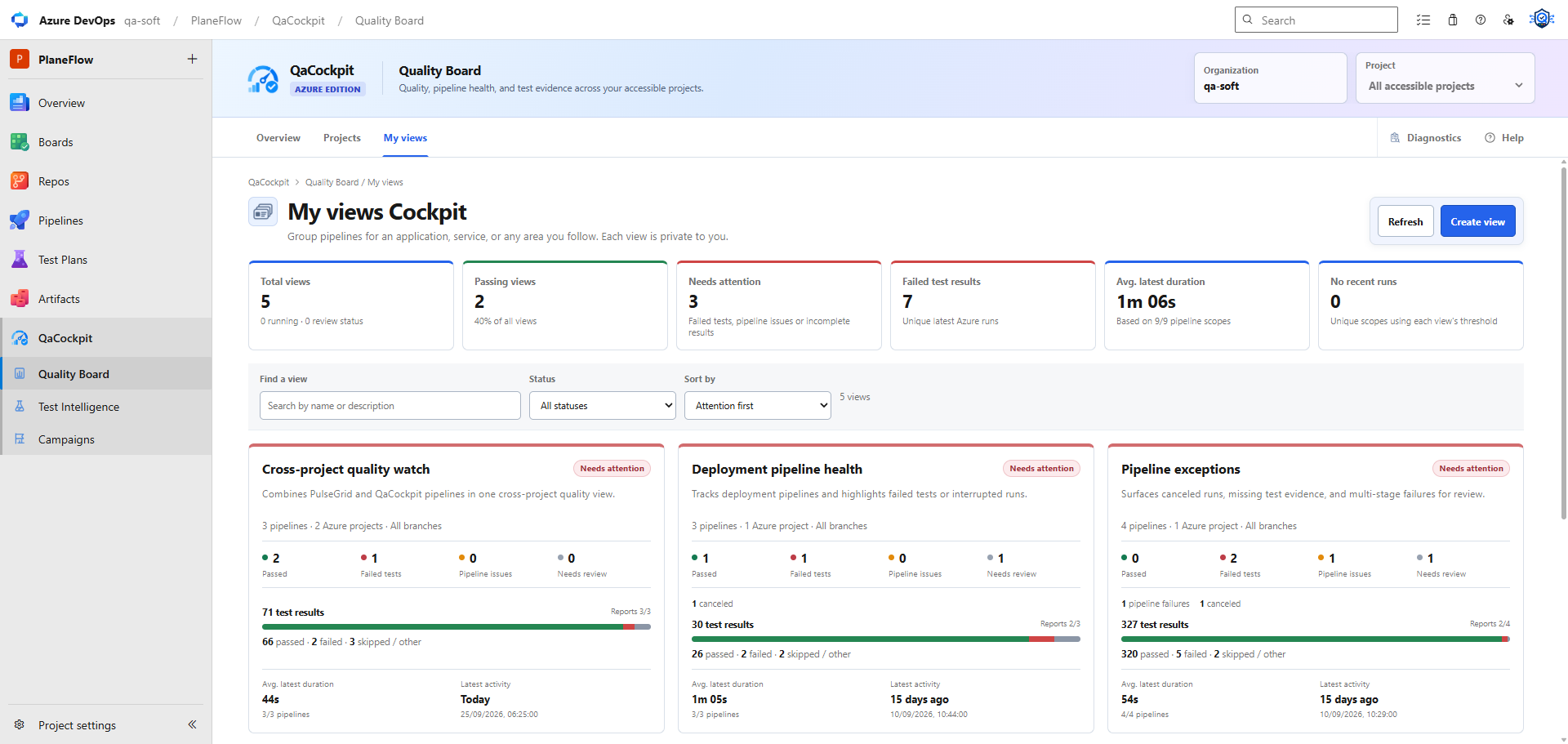
A release may depend on UI, API, integration, and other suites owned by different pipelines. My campaigns saves your private source selection and prepares reports from exact executions in accessible projects of the same organization.
Use completed executions by default and choose Run pipeline only when new results are needed. Configure execution dependencies in Azure Pipelines.
Read how regression campaigns work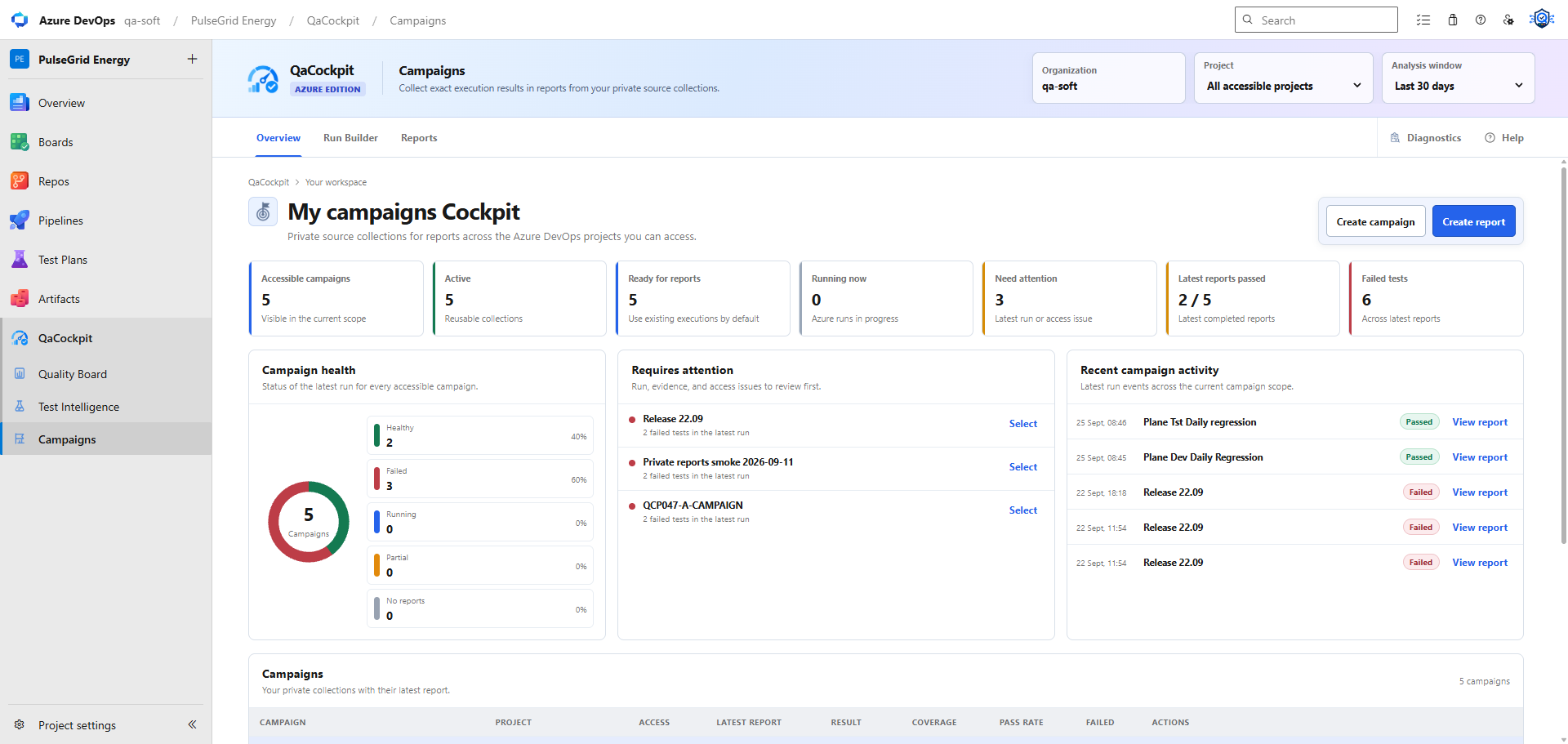
Available test history
Review outcomes within your selected analysis window. Historical evidence depends on Azure DevOps permissions and retention.
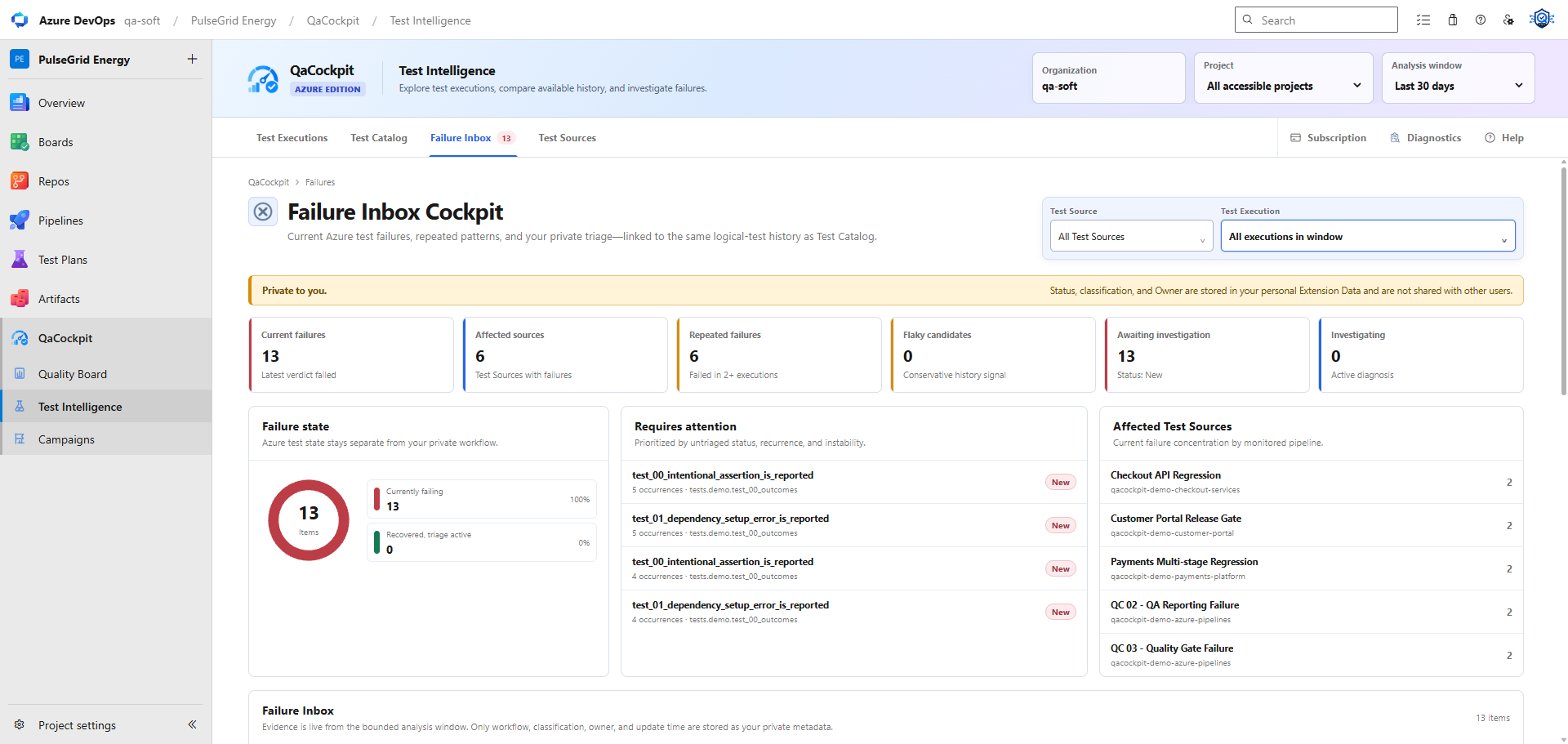
Failure Inbox
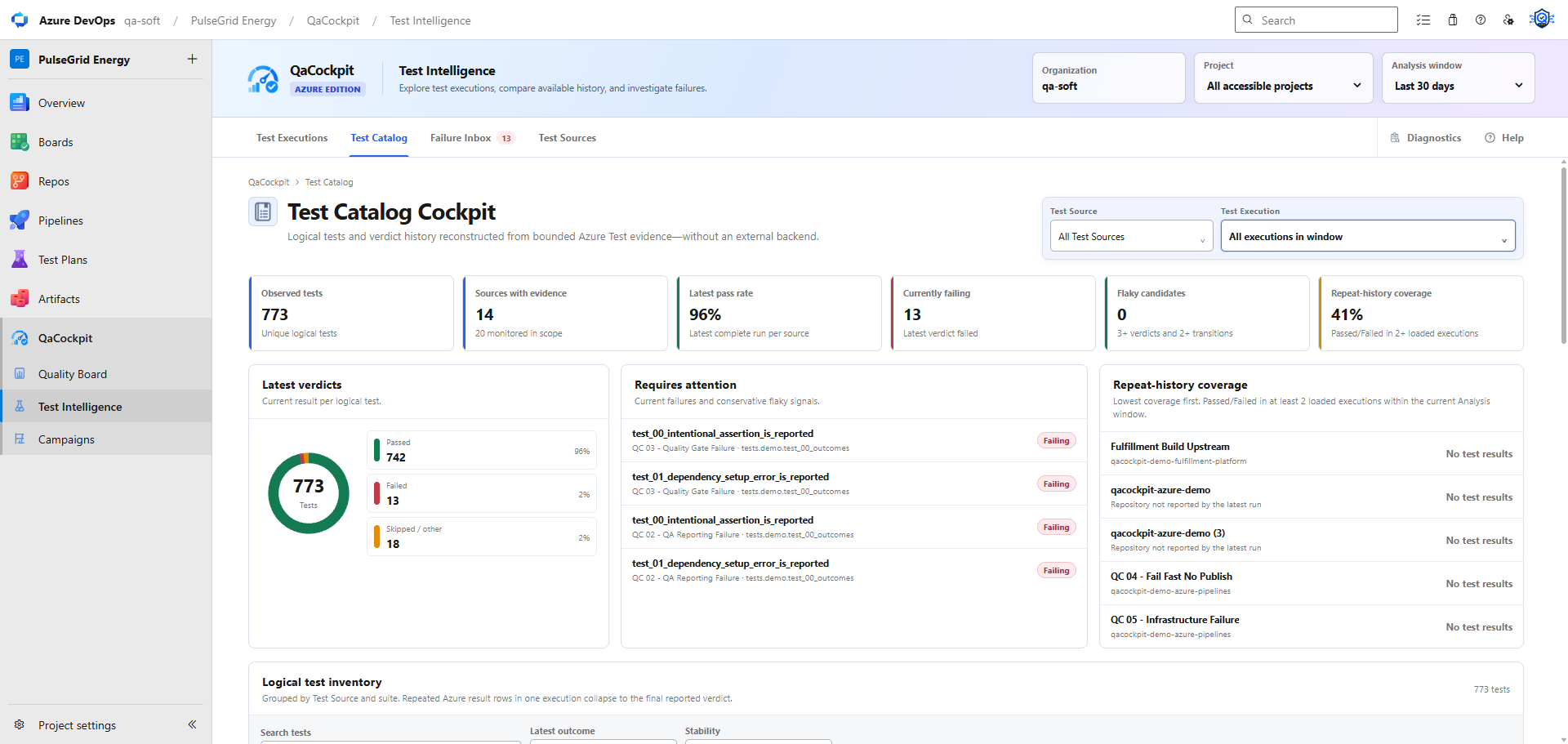
Test Catalog
Evidence completeness
Pipeline completion, test execution, result publication, result intake, and test outcome are different facts. QaCockpit keeps them separate so a successful pipeline with a missing or partial report cannot masquerade as complete evidence.
Understand the evidence gapOne honest signal
See which selected sources have reported results. Source-report completeness does not establish that every expected suite, shard or test was executed.
Initial Marketplace access
The initial release starts with a 60-day organization evaluation. No payment method is required and it does not renew automatically. The end date is fixed when the evaluation starts, even if the default term changes for new organizations.
Paid sales will be enabled later at the planned $49 per Azure DevOps organization per month. QaCockpit Cloud remains a separate product with separate pricing.
Read billing and subscription answersIncluded at launch
The extension shows the exact evaluation end date. Paddle checkout, automatic renewal and billing management stay disabled until paid sales are enabled.
Common questions
No. Azure DevOps installs the extension for the organization, but QaCockpit access is off by default. You can enable it only for yourself in User settings > Preview features; an administrator can separately enable it for the organization.
No. QaCockpit organizes the evidence available in Azure DevOps, highlights failures and evidence gaps, and keeps summaries connected to exact runs. Your team chooses the scope and makes the release decision.
No. The normal Marketplace extension workflow runs inside Azure DevOps. QaCockpit Cloud is a separate hosted edition for organizations that need one layer across GitHub Actions and Azure DevOps.
No in the first public release. My views, My campaigns, report records, and Failure Inbox Status, Classification, and Owner are private to the signed-in user.
Azure Pipelines and your existing frameworks continue to run the tests. QaCockpit reads the evidence available to the signed-in user and can send an explicit Queue or Stop request only when that user has the required Azure permission.
Pipeline Intelligence uses read-only Code, Analytics, and Agent Pools scopes together with the signed-in user's Azure permissions. They support exact-commit YAML location, bounded timing facts, and aggregate anonymized capacity views. Existing installations require an organization administrator to authorize the new scopes before upgrading to version 1.1.0.
Each Azure DevOps organization can start a fixed 60-day evaluation without a payment method or automatic renewal. Paid sales are planned separately at USD 49 per organization per month.
Read the complete Azure DevOps extension FAQ or review permissions and data handling.
Choose your edition
| Decision | QaCockpit Cloud | QaCockpit for Azure DevOps |
|---|---|---|
| Best for | Mixed CI/CD environments | Azure DevOps-centered organizations |
| Providers | GitHub Actions and Azure DevOps | Azure DevOps Services at dev.azure.com |
| Experience | Hosted QaCockpit web application | Inside Azure DevOps |
| Setup | Connect providers | Install the Marketplace extension |
| Cloud workspace | Used | Not required for the normal extension workflow |
| Primary value | Cross-provider quality intelligence | Azure-native quality intelligence |
Using GitHub Actions and Azure DevOps together? QaCockpit Cloud is designed for multi-provider environments. Explore the Cloud workflow.