These guides cover the public Azure DevOps Marketplace extension, its current permissions, personal storage, evidence boundaries, and supported environment.
Looking for QaCockpit Cloud documentation?01
Prepare your own evidence collection
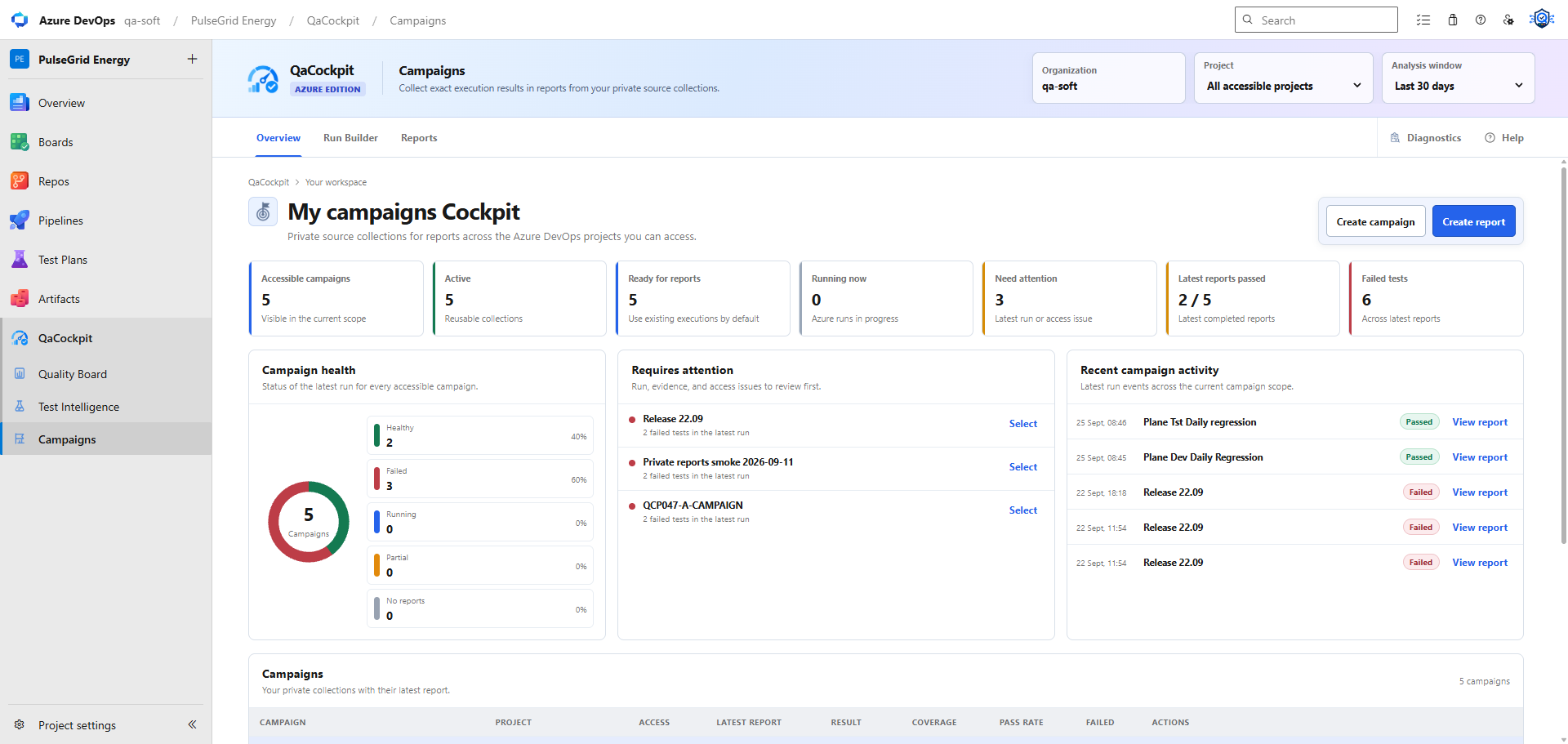
Create a private campaign to reuse a source selection and prepare reports. Sources can belong to several accessible projects in the same Azure DevOps organization. Campaigns and their report records belong to the signed-in user.
02
Sources and selected executions
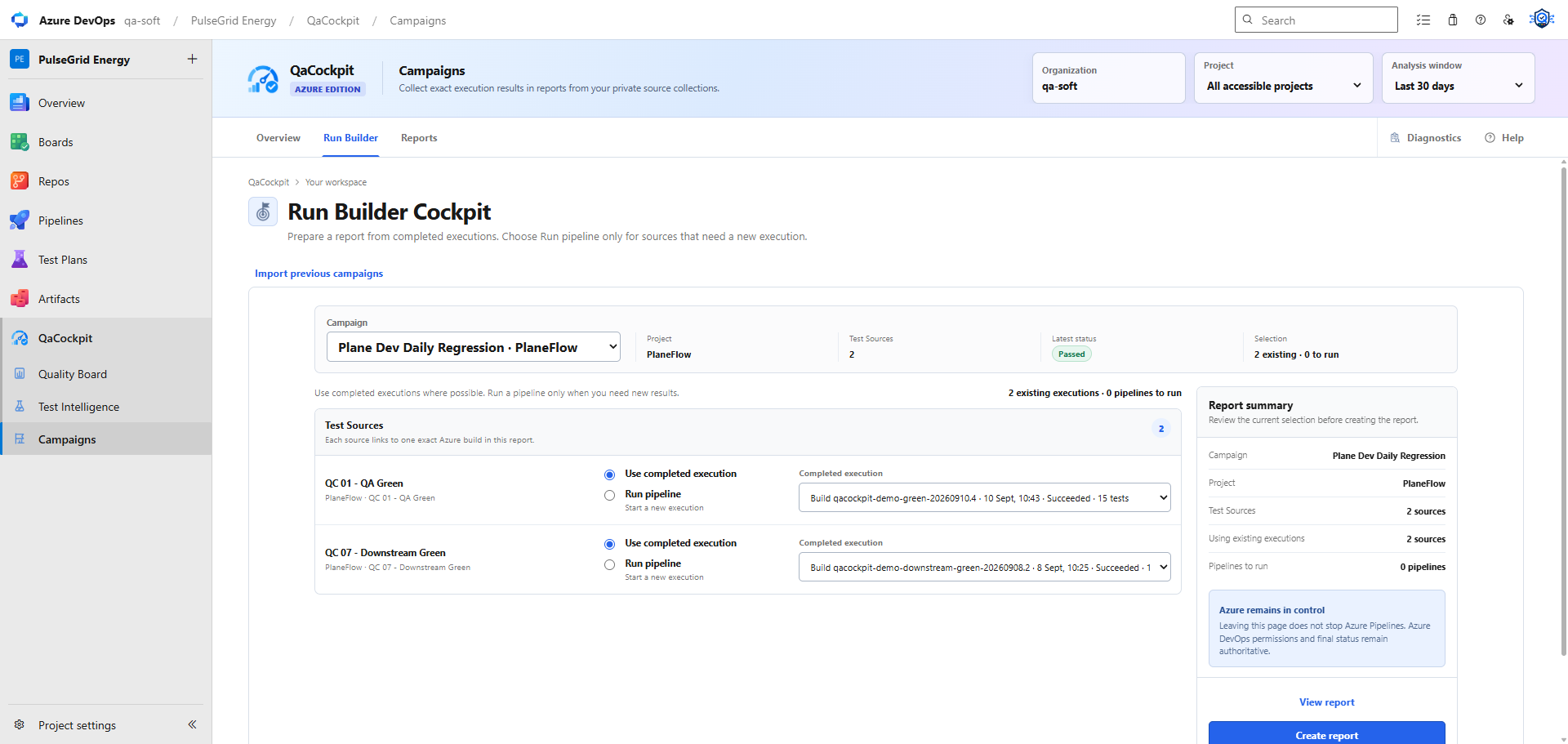
Open Campaigns, choose a campaign, and select Prepare report. The Run Builder uses completed executions by default. Opening it does not start pipelines. Choose Run pipeline only for sources that need new results and for which you have queue permission.
Submit together and Submit one by one control how new queue requests are sent. They do not wait for one pipeline to finish before starting the next. Configure execution dependencies in Azure Pipelines.
03
Read outcome and completeness separately
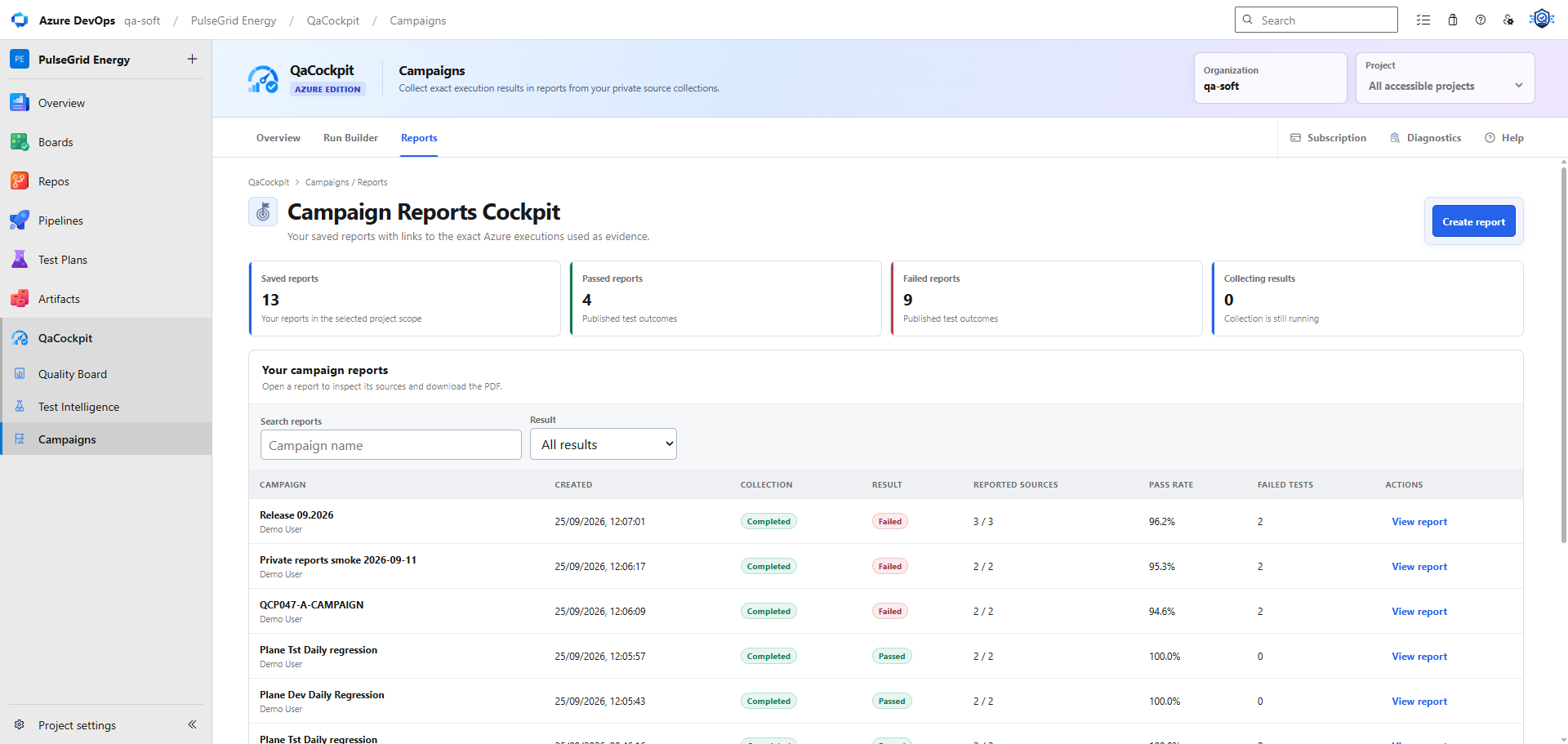
Open Reports to revisit a report and download its PDF. Pipeline state, test outcomes and source-report completeness answer separate questions. Selected execution IDs stay fixed, while the evidence available when reopening or exporting depends on your current Azure DevOps permissions and retention.
A PDF is a local export. The extension does not currently provide Cloud report sharing, email delivery or a permanent evidence archive. Source completeness does not prove that every intended suite, shard or test ran.