
These guides cover the public Azure DevOps Marketplace extension, its current permissions, personal storage, evidence boundaries, and supported environment.
Looking for QaCockpit Cloud documentation?01
Enable QaCockpit access
Open User settings > Preview features, turn on QaCockpit access for yourself, and refresh Azure DevOps. An organization administrator can enable it for everyone.
Follow the activation guide for personal access, organization access, overrides, and disabling the feature.
02
Start organization access
Open Subscription and choose Start 60-day free evaluation. QaCockpit opens a short-lived activation page on qacockpit.app. Confirm the organization, enter a work contact and accept Terms and Privacy. No payment method is required and no subscription starts automatically.
Return to Azure DevOps and refresh status. Subscription and Diagnostics show the exact evaluation end date. If the default term is shortened later, an evaluation that already started keeps its recorded date.
03
Start from authorized Azure DevOps context
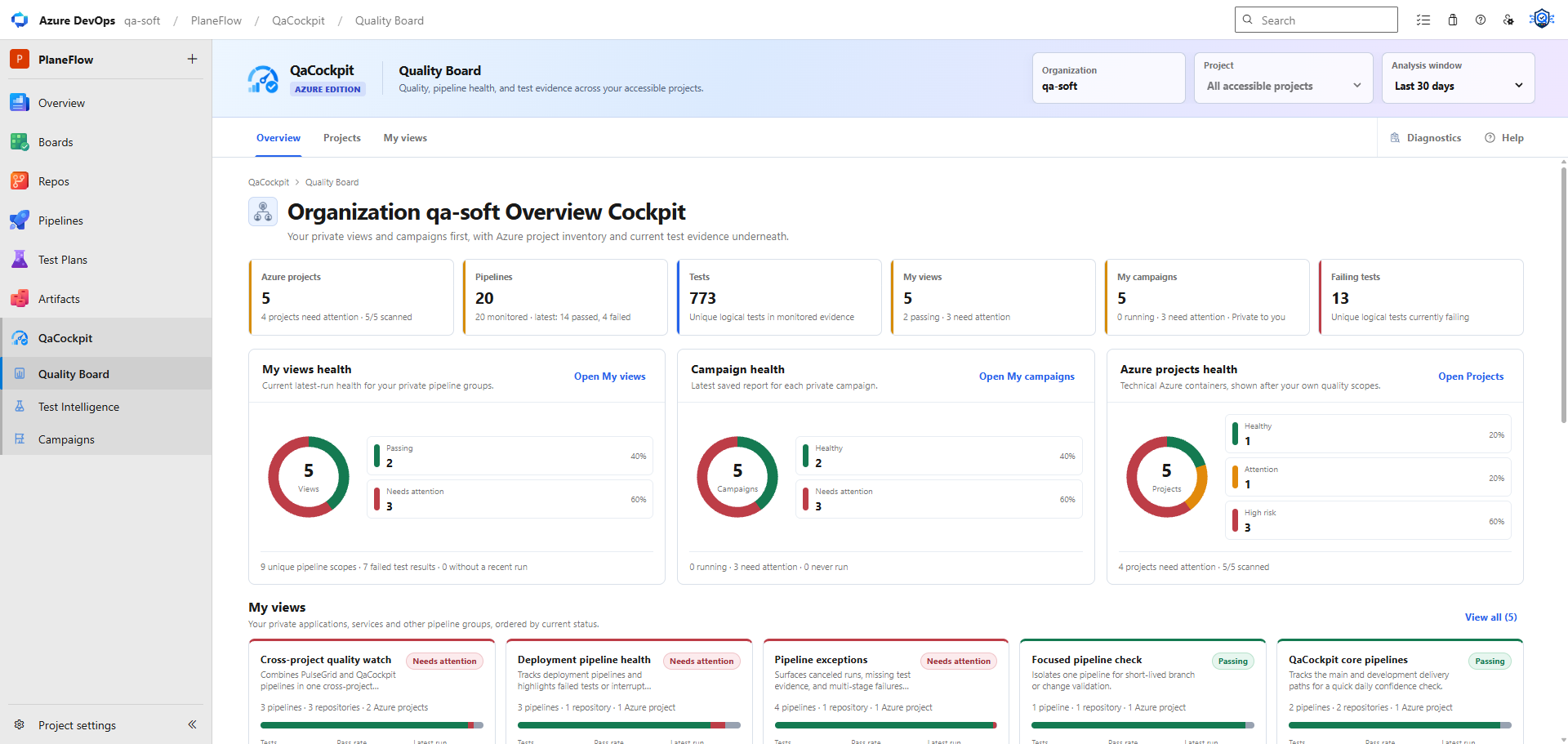
Open the QaCockpit group in your Azure DevOps project. Use Quality Board for the organization picture, Pipeline Intelligence for operational and performance facts, Test Intelligence to inspect results, and Campaigns to prepare private reports. Available resources depend on your Azure DevOps permissions.
04
Connect the first evidence path
- Choose an authorized project or organization context.
- Review the pipelines and result streams the extension actually discovers.
- Select one release-relevant Test Source.
- Confirm how that source exposes structured test results and diagnostics.
- Open the first execution and trace its signal back to Azure DevOps.
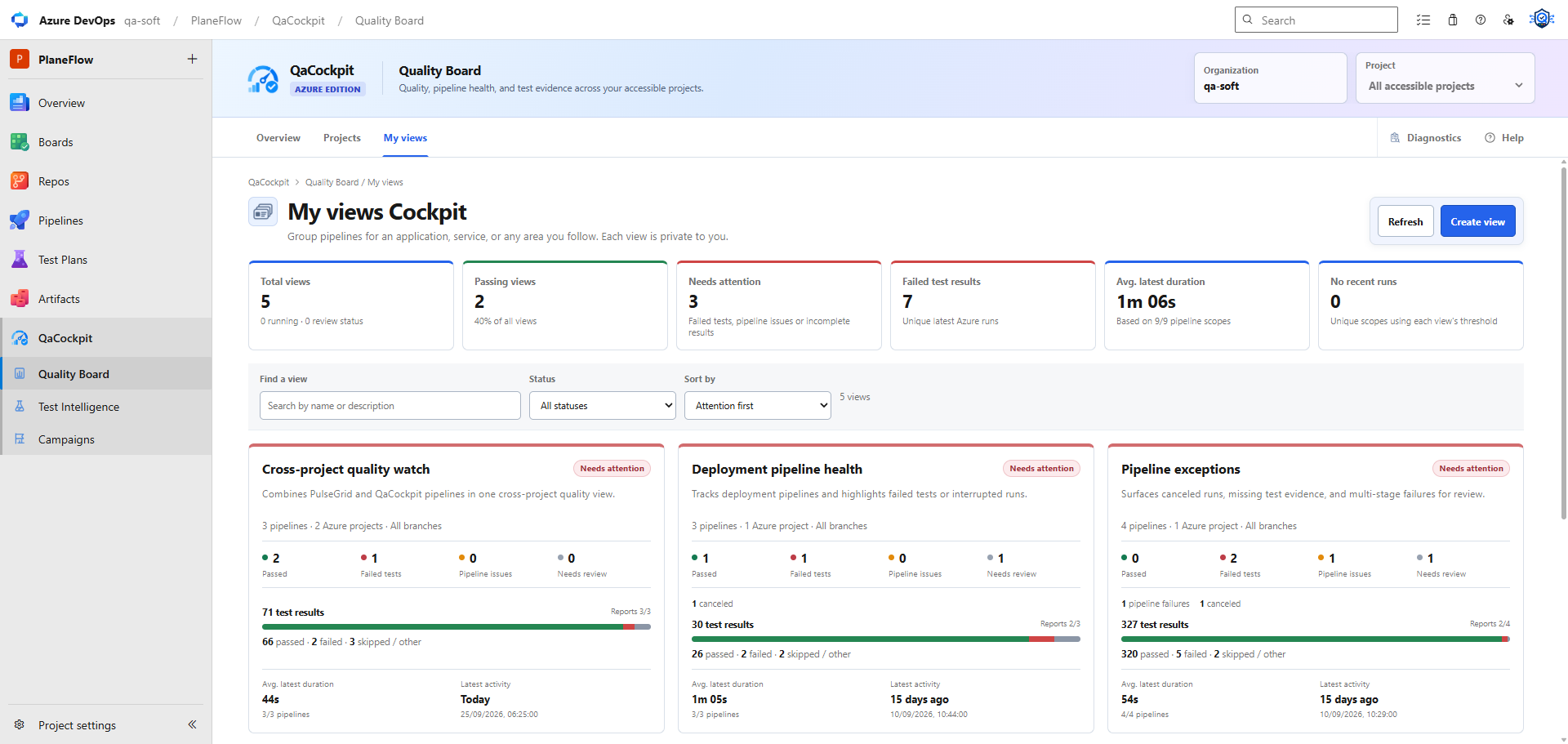
In Test Sources, select what to monitor. Open Test Executions and choose an exact execution within the Analysis window. You do not need a Cloud provider connection.
05
Validate the result, not only the navigation
- The pipeline identity, branch, commit, and attempt match the Azure DevOps run.
- Pipeline lifecycle and test outcome appear as separate facts.
- A missing or partial result is visible rather than silently treated as passed.
- The user can drill from the cockpit to the exact source and execution evidence.
- A user without access receives a clear, non-leaking permission state.
QaCockpit organizes these facts and points to missing, stale, partial, or failed evidence. Your team defines the required scope and decides what the evidence means for the release.