QaCockpit for Azure DevOps documentation
These guides cover the public Azure DevOps Marketplace extension, its current permissions, personal storage, evidence boundaries, and supported environment.
Looking for QaCockpit Cloud documentation?01
Move from project state to the responsible source
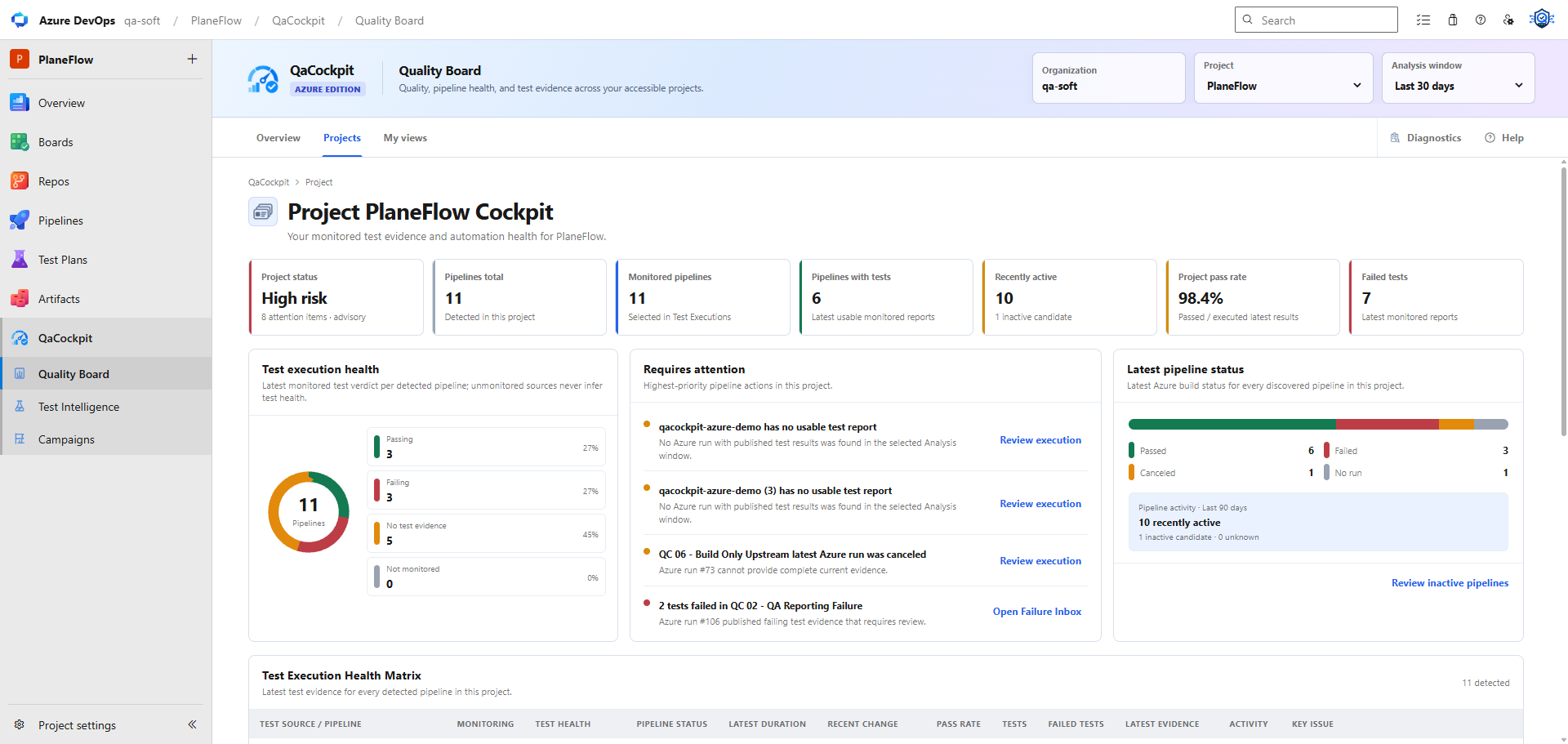
Read source freshness and source health beside project-wide test outcomes. A project can require several Azure DevOps pipelines, so one successful run must not overwrite a missing or failed source elsewhere in the release scope.
- Open a Test Source to inspect its pipeline and available evidence.
- Open an execution to inspect the exact pipeline/run and structured results.
- Open Failure Inbox for unresolved and recurring failures.
- Open the Campaign Run when the signal belongs to a fixed regression collection.
Open Quality Board, then Projects. Follow attention actions to the relevant Test Intelligence view. Campaign reports remain your private collections.