
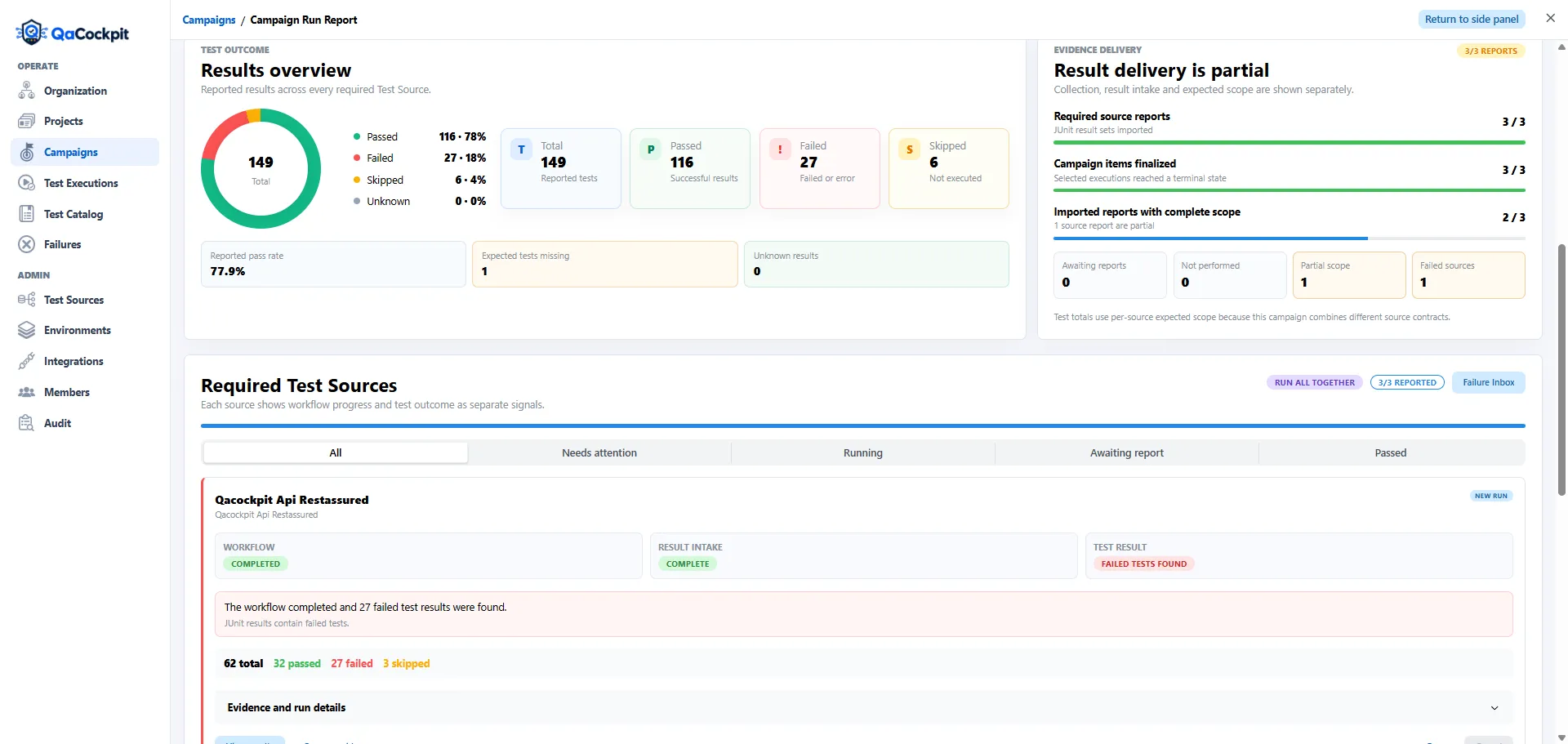
Illustration: QaCockpit Cloud. Final Azure DevOps extension screenshots will accompany the public release.
A release rarely fits inside one Azure DevOps pipeline. Browser tests may run in one repository, API checks in another, integration suites behind a service pipeline, and a final smoke test after deployment. Each pipeline page can be accurate while the release question remains unanswered:
Did every required source run, report usable results, and support the same release?
Reviewing test results across multiple Azure DevOps pipelines starts by treating that as a collection problem, not a search for the greenest recent run.
Why individual pipeline pages are insufficient
An Azure Pipeline owns its own execution history. It can show whether a run completed, which stages ran, and which test results or artifacts were published. It does not know whether a separate API pipeline was also required for the release or whether another team’s result file never arrived.
The gap appears when people answer a cross-pipeline question with local facts:
UI pipeline succeededsays nothing about the API regression;all published tests passedsays nothing about a shard that did not publish;latest runmay point to a different branch, commit, environment, or release;four pipelines are greendoes not prove that the fifth required source ran;- a test result retained in one pipeline does not automatically become release evidence.
The solution is not to make one pipeline responsible for scraping every other pipeline. It is to define the release scope explicitly and connect every result back to its source.
Keep pipeline status and test result separate
For each required source, keep at least these facts distinct:
| Fact | Question |
|---|---|
| Pipeline lifecycle | Did the expected run start and reach a terminal state? |
| Provider conclusion | Did Azure DevOps consider the pipeline successful, failed, or canceled? |
| Test execution | Did the intended test command or stage run? |
| Result publication | Did Azure DevOps receive a structured test result or retained report? |
| Evidence intake | Did the quality view obtain and validate that exact result? |
| Test outcome | Which observed tests passed, failed, skipped, or errored? |
| Expected scope | Were all required sources, suites, shards, and test identities represented? |
These facts can disagree without any system being broken. A deployment pipeline can succeed while a best-effort test-publication step is skipped. A pipeline can fail because tests failed while still publishing complete, useful evidence. A result can contain only one of two expected shards.
Compressing the states into one red or green badge makes the summary easier to scan and harder to trust.
Define the required sources before opening runs
Start from the business regression or release, then list the automation that must support it. A practical inventory might look like this:
| Required source | Pipeline | Expected evidence | Release context |
|---|---|---|---|
| Web checkout | web-e2e |
Playwright JUnit + traces on failure | release branch, staging |
| Public API | api-regression |
JUnit XML + safe request diagnostics | same commit family, staging |
| Payments integration | payments-contract |
JUnit XML | release candidate version |
| Deployment smoke | production-smoke |
small JUnit report | deployed artifact identity |
The source name should describe the evidence stream, not only the repository. One repository may contain several pipelines or scopes. Conversely, one business project can depend on sources from several Azure DevOps projects.
Mark which sources are required, which are supporting, and which are unrelated to this decision. Otherwise a dashboard can reward teams for running more tests while still missing the one suite the release actually needed.
Recognize the manual workflow you are replacing
Without a cross-pipeline view, a QA Lead often has to:
- find the correct run in each pipeline;
- verify branch, commit, environment, and timing;
- open the test tab or download an artifact;
- distinguish failed tests from pipeline or infrastructure failure;
- check whether all suites and shards reported;
- copy counts into a spreadsheet or release message;
- ask source owners about gaps;
- repeat the process after every rerun.
The cost is not only time. The resulting report has no durable link between its copied number and the execution that produced it. A later rerun can change the source page while the spreadsheet continues to look authoritative.
What a cross-pipeline quality view needs
A useful combined view should preserve rather than erase source boundaries.
It needs:
- a fixed release or regression context;
- the explicit list of required Test Sources;
- current state for every source, including not started and results missing;
- exact provider run and attempt identity;
- branch, commit, environment, and relevant artifact version;
- reported test totals and outcomes per source;
- expected-versus-observed scope;
- visible freshness so an old green run is not treated as current;
- direct drill-down to the pipeline, test, failure, and retained diagnostics.
Totals belong after this source matrix, not instead of it. 1,240 tests passed is useful
only when the reader can see which sources contributed to that denominator and which did
not.
Trace every signal back to one execution
Cross-pipeline visibility should shorten investigation, not create a second opaque
dashboard. When a source shows Failed, Partial, or Results missing, the next action
should open the exact evidence behind that state.
That path may include:
- Azure DevOps project and pipeline identity;
- provider run and attempt;
- test suite and logical test identity;
- failure message, stack trace, stdout, or stderr;
- screenshot, video, trace, or log retained by the supported integration;
- history showing whether the same failure occurred before.
The management view and engineering view can show different detail, but they must use the same underlying evidence. Do not create a release summary that cannot be reconciled with the source-level record.
A practical review checklist
Before calling the regression complete, verify:
- every required source appears in the collection;
- every source is tied to the intended release context;
- the pipeline state and test outcome are shown separately;
- a missing report is visible, not converted into zero failures;
- expected suites, shards, or test identities are represented;
- reruns remain separate attempts;
- the combined totals can be decomposed back to each source;
- every failure or gap has a direct evidence path and owner context.
This is the difference between checking pipelines one by one and reviewing one defensible quality picture across them.
This checklist describes what to verify across pipelines. The current private pilot shows selected-source evidence; it does not automatically verify every expected suite or shard. My campaigns prepares private reports from exact selected executions.
Continue with the Azure DevOps extension documentation or read how automated test reporting connects teams and pipelines.