
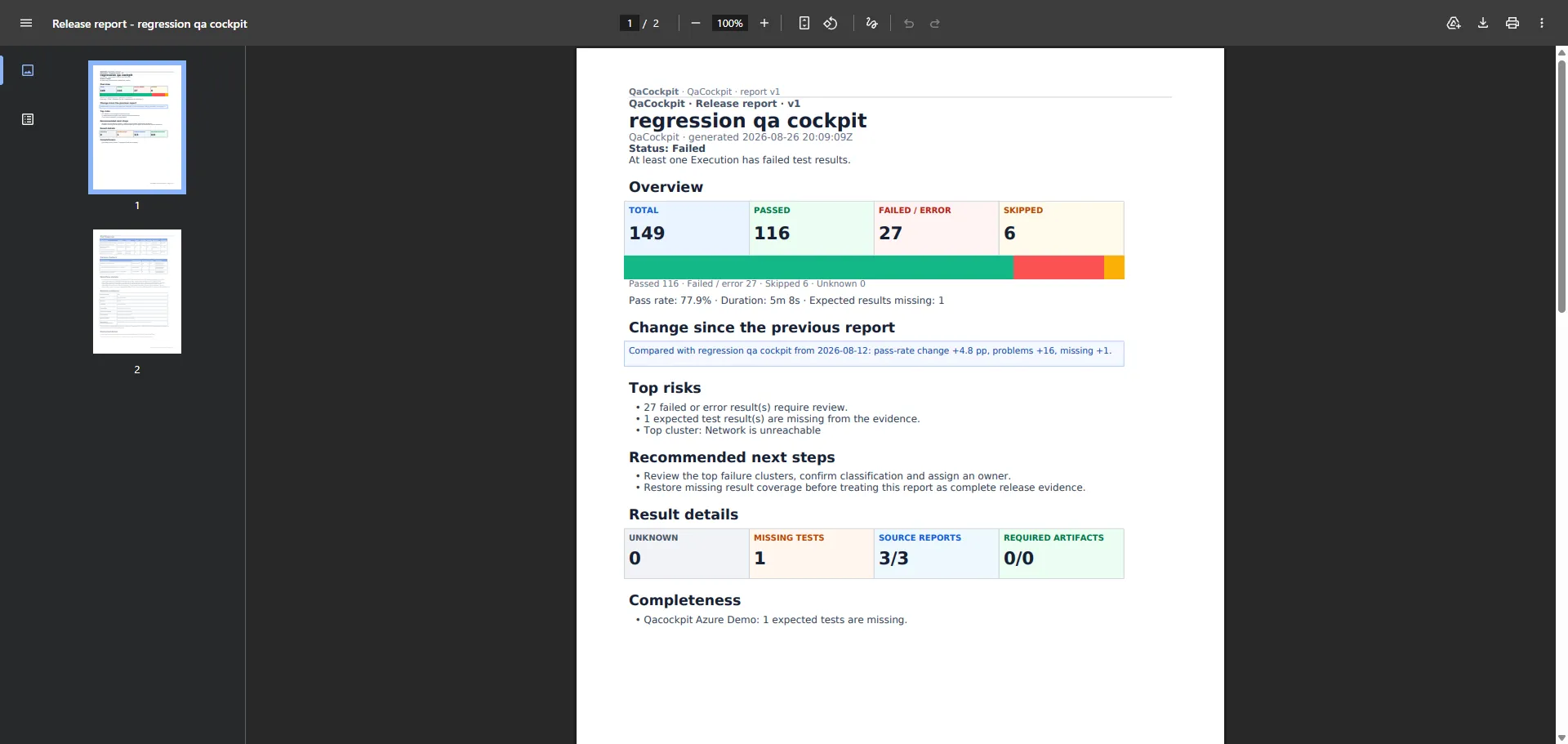
Automated test reporting does not begin when a framework creates an HTML page. It begins when a team can ask, “What did all release-critical automation demonstrate?” without collecting the answer manually from people, pipeline pages, spreadsheets, and expiring artifacts.
In a multi-team product, the raw evidence may already exist. Playwright has a browser-test report. API tests publish JUnit. Developers run unit tests in another repository. DevOps owns deployment verification. A mobile team has its own provider and release rhythm.
The reporting problem is connecting those facts into one exact release context while preserving enough detail to investigate any failure.
A test report and a reporting system are different things
A framework report is optimized for one run produced by one tool. That is often enough for the engineer who owns the suite. It becomes insufficient when a QA Lead or Test Manager needs a cross-team answer.
A reporting system must answer questions that no individual report owns:
- Which pipelines and suites were required for this release?
- Did every source run, and did every structured result arrive?
- Are all results attached to the correct commit, environment, and attempt?
- Did the expected test scope remain present?
- Which failures are new, repeated, understood, or still awaiting investigation?
- Can the owning team diagnose them from the retained evidence?
- What can a release stakeholder safely conclude from the complete collection?
Generating a document is the final presentation step. The hard part is building and preserving the evidence model underneath it.
Keep six states separate
Cross-source reporting becomes misleading when it compresses different facts into one color. A dependable model keeps at least six dimensions:
| Dimension | Question it answers |
|---|---|
| Collection | Did every required Test Source participate? |
| Pipeline lifecycle | Did the provider run start and reach a terminal state? |
| Provider result | Did the build, deployment, or pipeline succeed? |
| Result intake | Did a usable structured test report arrive? |
| Test outcome | What passed, failed, or was skipped in the observed report? |
| Scope and evidence | Were expected tests and required diagnostic artifacts present? |
This is why Completed, Succeeded, and Tests passed should not be synonyms. A
pipeline can complete successfully while publishing no test report. A report can arrive
successfully while containing failed tests. All observed tests can pass while one shard
or suite is missing.
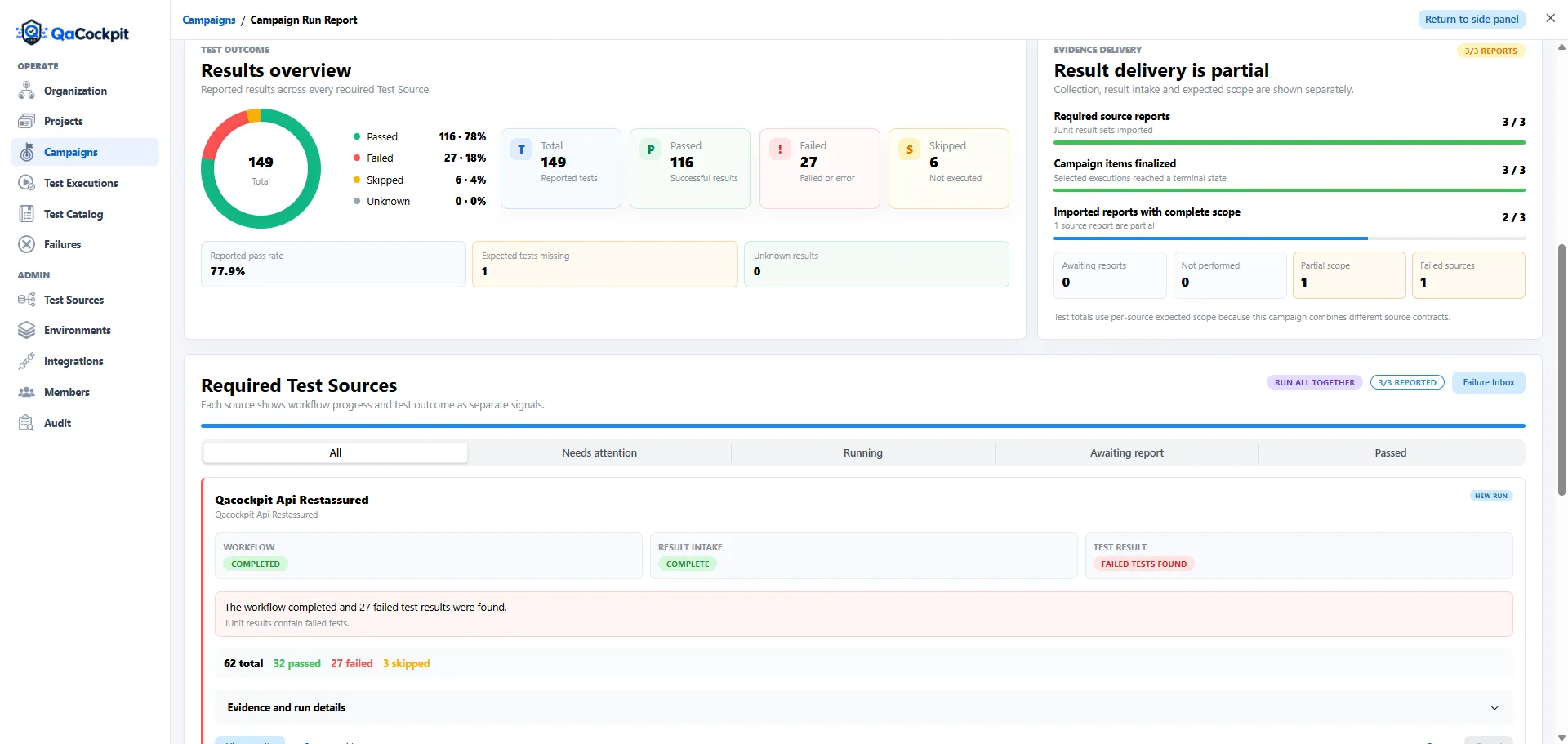
One report can summarize the release while preserving the source-level facts behind the summary.
The versioned reports, email delivery and expiring links illustrated here belong to QaCockpit Cloud. The current private pilot of QaCockpit for Azure DevOps prepares private reports from selected Azure executions and offers PDF download.
Make the collection automatic before making the PDF automatic
Many reporting initiatives start by automating a spreadsheet or slide deck. That saves formatting time but leaves the QA Lead doing the same collection work:
- ask each team which pipeline matters;
- find the latest relevant run;
- open artifacts and copy test totals;
- clarify whether red means tests, deployment, or infrastructure;
- chase a missing suite or report;
- rewrite the summary for stakeholders.
A better sequence is to automate the evidence flow first:
- define the required Test Sources for a project or campaign;
- preserve exact provider run and attempt identity;
- collect structured results from every source;
- validate report and expected-scope completeness;
- retain diagnostic artifacts and history;
- calculate a summary from that fixed evidence snapshot;
- render the same snapshot for each audience.
Once this foundation exists, an HTML view, PDF, email, or expiring link becomes a delivery choice rather than a separately assembled version of the truth.
Design logs for diagnosis, not only execution
Good automated reporting should help an engineer understand why a test failed without immediately rerunning it. Test name and stack trace are a start, not the complete story.
The evidence available in CI should resemble the evidence used during local development:
- meaningful step or domain-event logging;
- safe request and correlation identifiers;
- expected and observed values;
- relevant stdout and stderr;
- screenshot, video, trace, or response evidence where appropriate;
- exact environment, branch, commit, provider run, and attempt;
- timestamps that put the events in order.
This does not mean logging everything. Secrets, authorization headers, cookies, private keys, and customer data do not belong in a report. The goal is a concise causal trail: what the test attempted, what the system did, and where the behavior diverged.
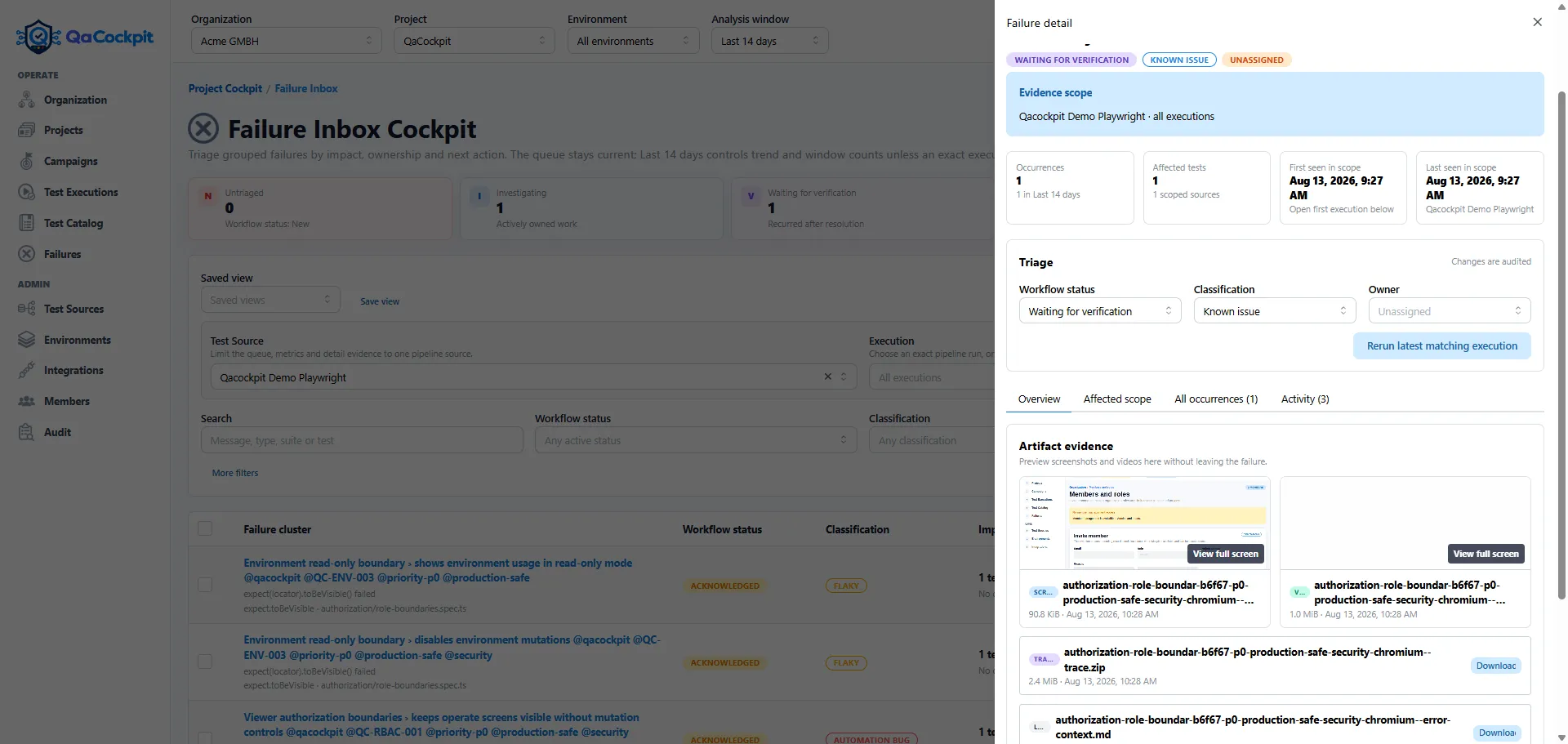
A useful failure report shortens the path to a first diagnosis instead of merely proving that an assertion failed.
Build one evidence model, then create audience views
An engineer and a release manager do not need identical levels of detail, but they should not receive independently assembled reports.
The technical view may include suites, individual test results, failure messages, attempt history, and protected artifacts. The release view may emphasize overall state, change from the previous report, top risks, missing scope, Test Source completeness, and next steps.
Both should be generated from the same versioned snapshot. This prevents the management summary from claiming that a release is ready while the technical evidence has already changed underneath it.
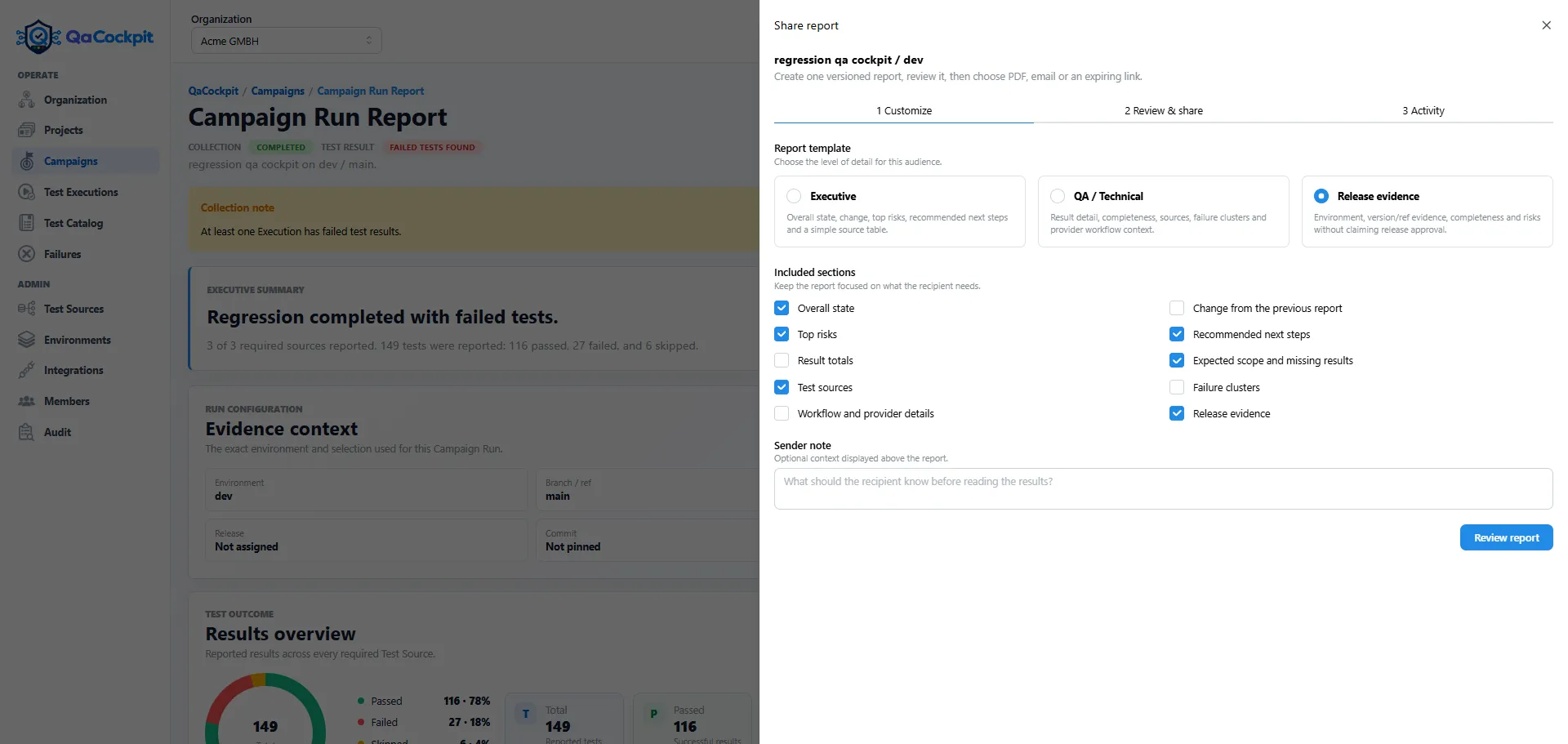
Different audiences can receive different detail without creating different facts.
The hidden scope of a custom reporting application
Teams sometimes respond to fragmented results by building an internal dashboard. The first prototype may parse a few JUnit files and render a table. Production use quickly adds less visible responsibilities:
- provider authentication and exact-run correlation;
- idempotent result ingestion;
- differences between JUnit dialects;
- retries, shards, and duplicate test identities;
- authorization and tenant or project boundaries;
- artifact storage, access, expiry, and cost;
- historical comparisons and scope baselines;
- failure grouping and ownership;
- notification and report versioning;
- deployment, monitoring, security fixes, and ongoing UI work.
Building this can be justified when the workflow is genuinely unique. It should still be treated as a product with an operating cost, not a one-off reporting script. If the need is primarily to connect existing automation, a dedicated TestOps layer avoids turning the QA platform into another application the test team must maintain.
Measure whether reporting improves the decision
More charts do not necessarily create better reporting. Useful operational metrics expose whether the evidence flow and diagnosis process are improving:
- required Test Source reporting coverage;
- complete result-intake rate;
- missing expected tests or suites;
- evidence freshness;
- current failures awaiting investigation;
- repeated or flaky-candidate signals;
- time from failure observation to owned diagnosis.
Pass rate remains useful, but it should be read beside its denominator, scope change, and source completeness. Otherwise an improving percentage can hide fewer reported tests or more absolute failures.
Start with one real release
A practical adoption path does not require replacing test frameworks or moving suites:
- Choose one release involving more than one team or repository.
- Inventory the pipelines that actually contribute release evidence.
- Mark each source as required, supporting, or unrelated.
- Produce and retain JUnit-compatible results on success and failure.
- Connect logs and native artifacts to the same execution attempt.
- Compare expected and reported scope.
- Review the complete collection with the people who currently assemble status manually.
The outcome to watch is simple: can the group reach a defensible release conclusion without asking every source owner to reconstruct the evidence?
QaCockpit Cloud is designed for that layer above existing automation. Teams keep their repositories, frameworks, and CI/CD workflows; the organization gains one place to understand what ran, what reported, what failed, what is missing, and what needs action.
If those teams work primarily in Azure DevOps, see how the QaCockpit for Azure DevOps brings that quality picture into their existing organization context.
Continue with Playwright JUnit reporting across CI/CD, learn how to share automated test reports without spreadsheets, or see why time to diagnosis deserves its own metric.