
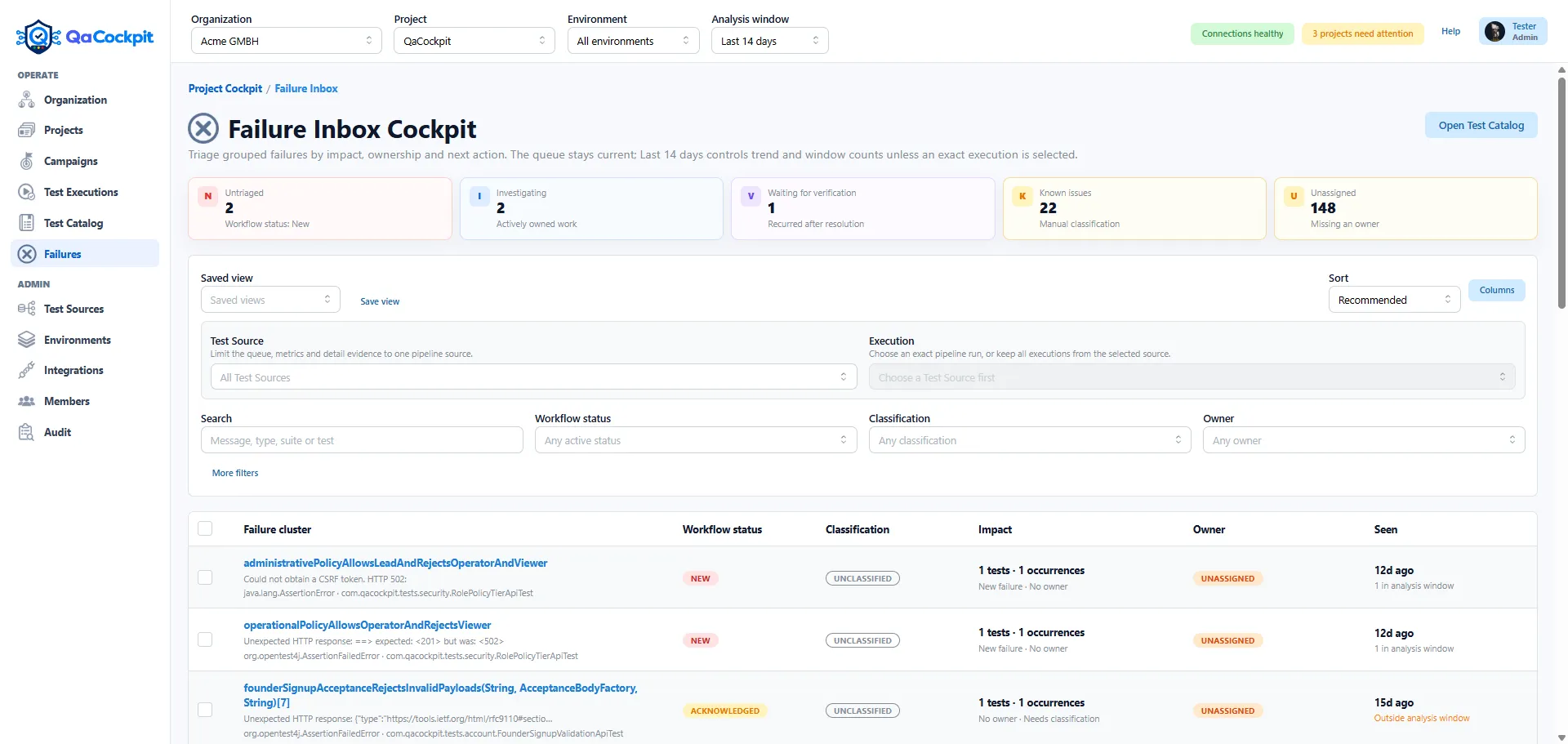
A failed-test table tells a team which assertions failed in one execution. It does not tell the team how much independent investigation work exists.
Twenty failed results may represent twenty product defects. They may also represent one environment outage repeated across tests, the same automation defect appearing in several runs, or a known issue that already has an owner.
A Failure Inbox creates an operational layer above individual results while keeping every exact occurrence available as evidence.
Group evidence without hiding the original results
The first useful grouping model does not need to be opaque or AI-driven. QaCockpit Cloud uses a deterministic fingerprint derived from normalized failure type, message, and stack evidence.
That produces a stable Failure Cluster while preserving:
- every exact Test Result and occurrence;
- the source execution and attempt;
- Test Source, suite, branch, commit, and environment;
- first-seen and last-seen context;
- affected tests and automation sources;
- failure messages, stacks, stdout, stderr, and artifacts when available.
The cluster is an investigation unit, not a replacement for the underlying technical record.
Separate workflow state from classification
Two fields answer two different operational questions.
Workflow status explains where the investigation is:
- New;
- Acknowledged;
- Investigating;
- Waiting for Verification;
- Resolved;
- Ignored.
Classification explains what the team currently believes the problem is:
- Unclassified;
- Known Issue;
- Product Bug;
- Automation Bug;
- Environment Issue;
- Infrastructure Issue;
- Flaky.
A failure can be Investigating and still Unclassified. It can be Resolved as an
Automation Bug. Combining those dimensions into one status makes both reporting and
daily work less precise.
Put evidence before the rerun button
Rerunning is useful when it validates a hypothesis. It is less useful when it replaces diagnosis by habit.
Failure Detail should make the available evidence easy to inspect first:
- screenshots and video previews;
- Playwright traces and logs;
- exact execution and provider links;
- affected tests and source scope;
- recent and historical occurrences;
- owner, activity, and investigation updates.
Protected media remains private. QaCockpit Cloud exposes it through short-lived authorized access, and a failed preview can request a fresh link rather than leaving a broken image.
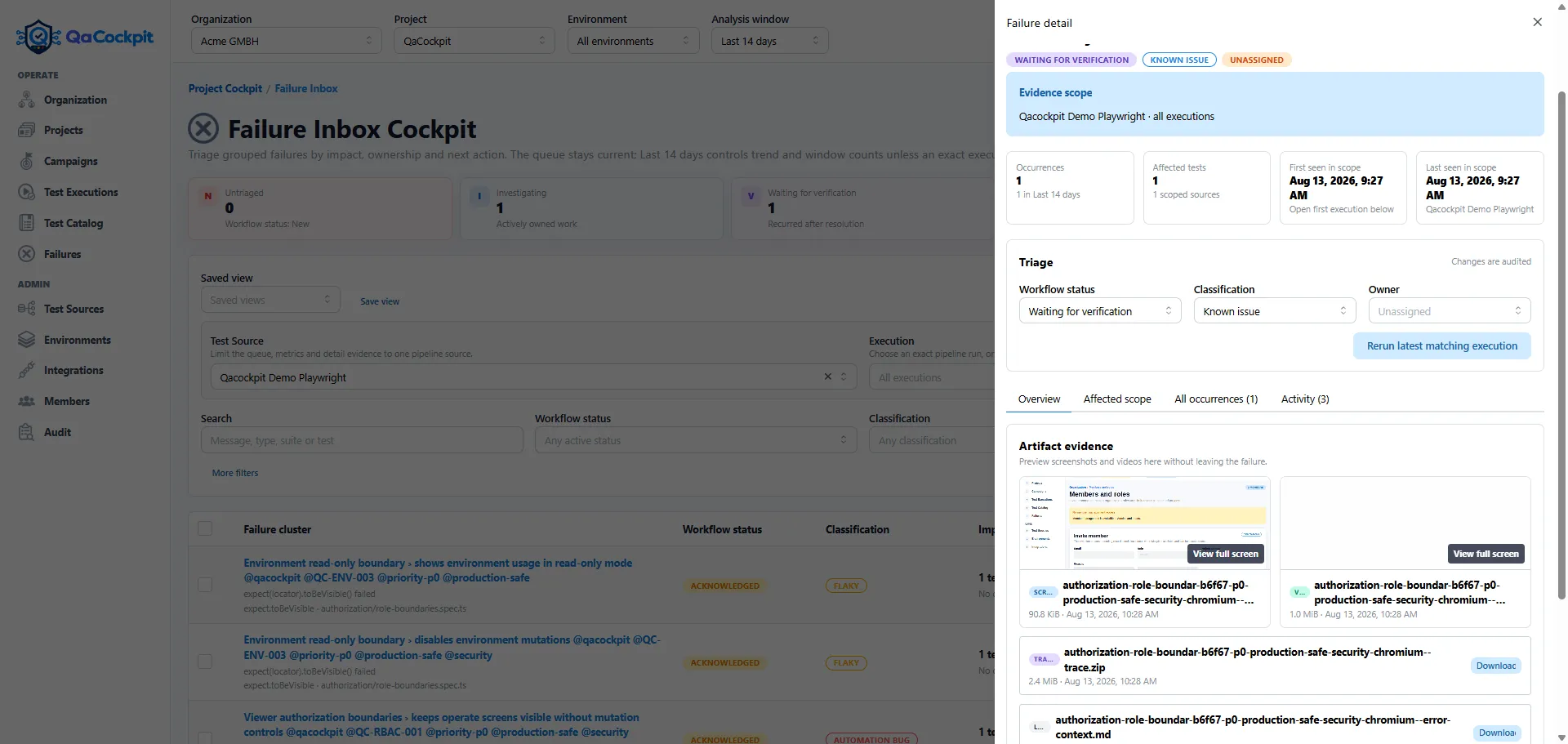
The investigation stays connected to the exact browser evidence without turning the Failure Inbox into a public artifact store.
Prioritize current work without erasing history
The default queue should emphasize active failures, but resolved, ignored, known, and flaky-classified clusters must remain discoverable. Otherwise the product silently loses the history needed to understand recurrence.
Useful filters include Test Source, exact execution, suite, owner, workflow status, classification, evidence availability, and free-text search. Saved views can preserve a team’s normal working slice without changing the underlying truth.
The project-level view can then distinguish current failures awaiting investigation from failures that are already classified, owned, or explicitly accepted as current risk.
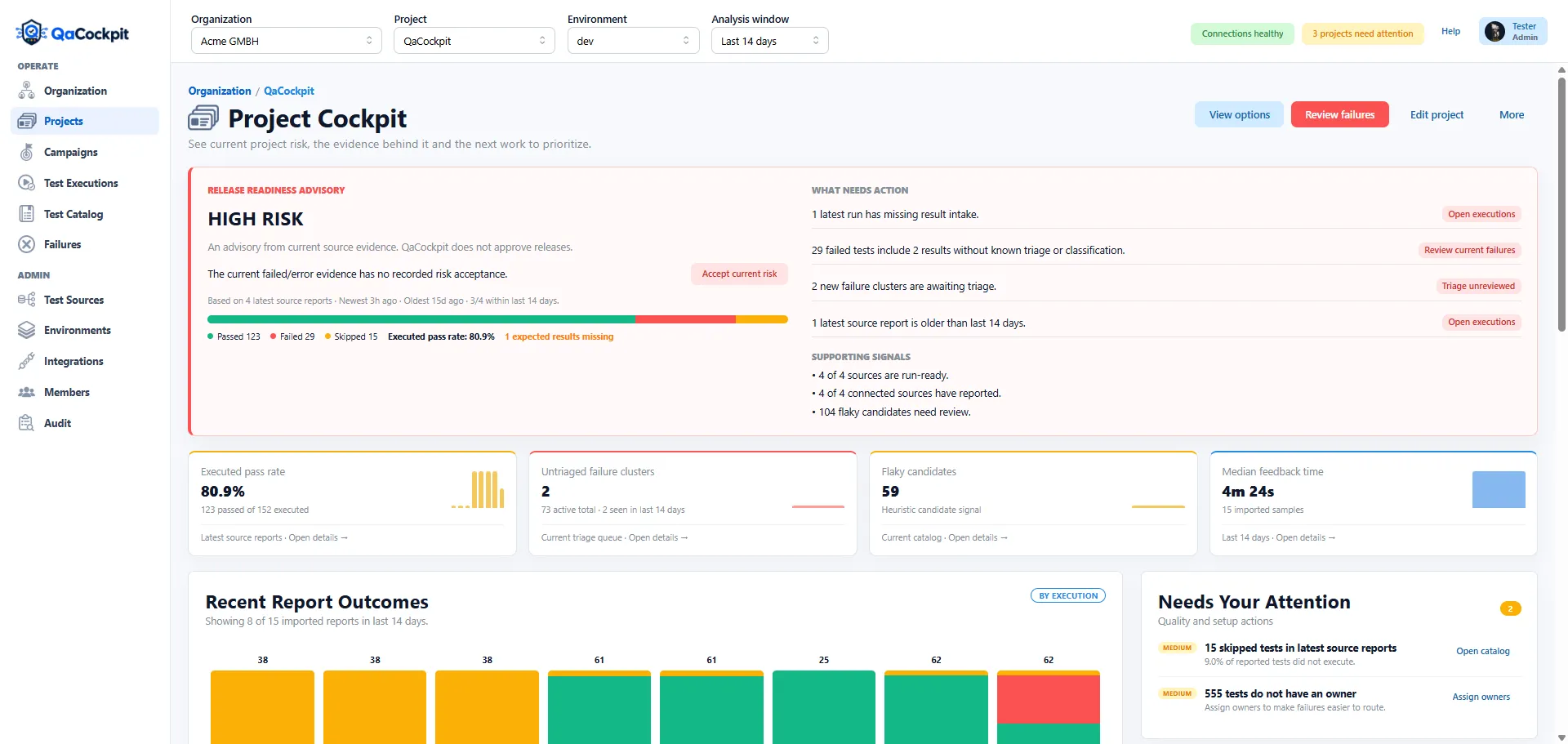
The project advisory keeps the aggregate signal connected to the exact Failure Inbox work that explains it.
A Failure Inbox is not a defect tracker
The Failure Inbox should not become a second Jira or a manual test-management system. Its job is narrower:
- preserve and group automated failure evidence;
- expose current ownership and classification;
- connect the problem to executions, tests, and artifacts;
- support a safe rerun from the correct Test Source;
- make repeated automation problems visible over time.
Issue synchronization, collaborative comments, advanced root-cause models, and automatic resolution can be added later if real workflows require them. The initial value comes from removing repeated reconstruction work.
To produce the browser artifacts behind this workflow, follow the Playwright evidence guide or inspect the public qacockpit-demo-playwright repository.
For a process-level view, read Measure time to diagnosis—not just pass rate. If your team still diagnoses failures by opening several Azure DevOps runs, explore QaCockpit for Azure DevOps or request a quality-landscape review.