
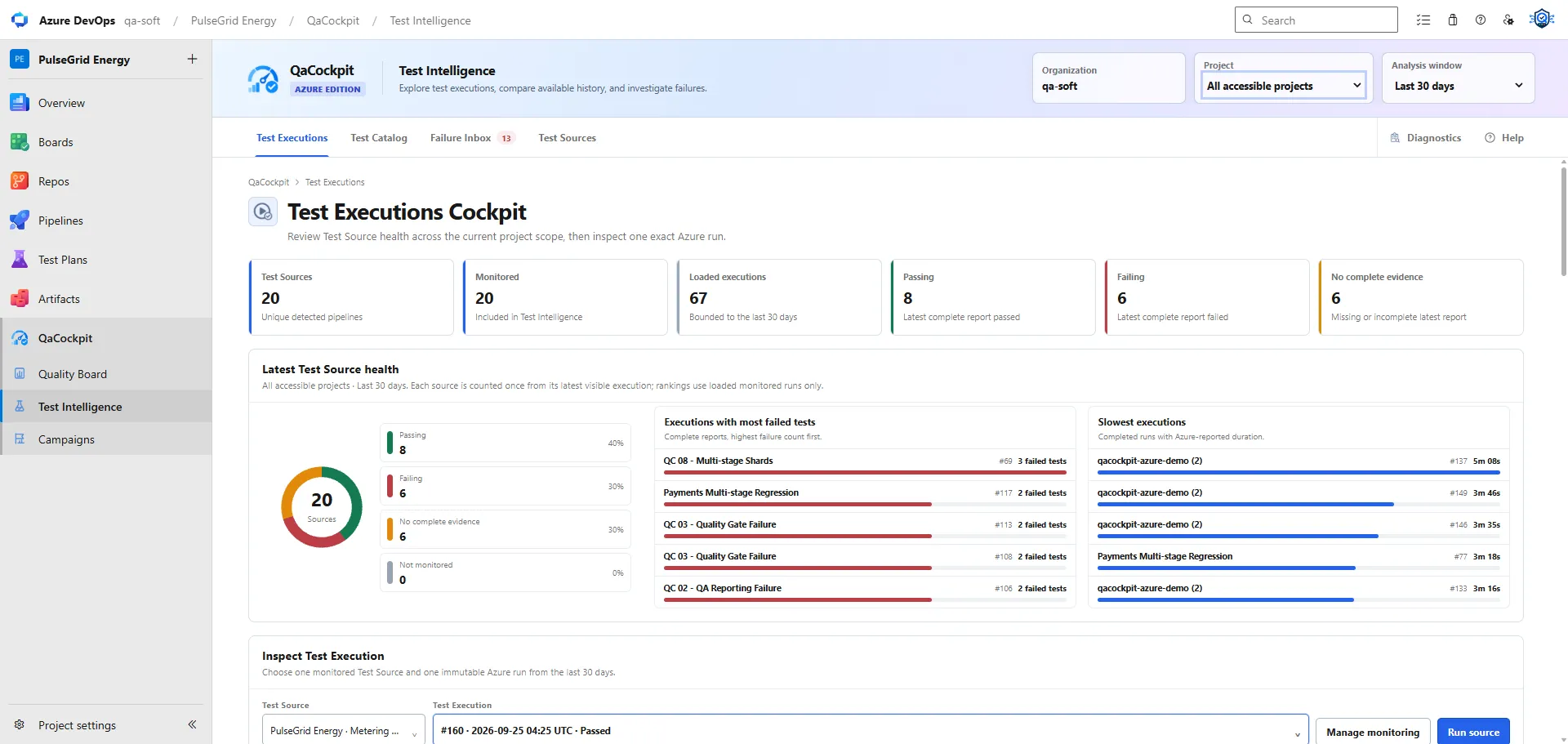
An Azure DevOps pipeline can succeed while providing no usable test evidence. That does not necessarily mean Azure DevOps is wrong or the tests passed. It means the pipeline conclusion and the test-reporting chain answered different questions.
The fastest way to diagnose the gap is to stop treating Succeeded as the end state and
check each hand-off separately.
Map the reporting chain
A typical automated-test path has several independent stages:
- Azure DevOps creates the intended pipeline run.
- The test stage or command executes.
- The framework writes a structured result such as JUnit XML.
- The pipeline publishes results to Azure DevOps or retains the source report.
- A reporting system discovers and reads the exact result.
- The report is validated and correlated with the Test Source and attempt.
- Expected scope is compared with the observed suites and tests.
A green pipeline proves only that Azure DevOps evaluated its configured jobs and conditions as successful. It does not prove that every stage above occurred.
For the broader principle, read A green pipeline is not enough. The rest of this guide stays practical and Azure-specific.
First: confirm that the tests actually ran
Open the exact run and inspect the relevant stage or job.
Check for:
- branch, commit, parameters, and environment
- conditions that skipped the test stage
- path filters that prevented a pipeline or template from running
- an empty test selector or misresolved variable
- a command that returned zero tests but still exited successfully
- a retry or later run that you opened instead of the release attempt
A step named Run tests is not evidence that tests executed. Read its output and the
framework summary. If the runner reports zero discovered tests, decide whether that must
fail the job rather than accepting it as a successful no-op.
Second: locate the structured result file
The framework may run correctly and still write its report somewhere unexpected.
Verify:
- the configured output path
- whether the path is relative to the repository, working directory, or agent temp folder
- whether each shard writes a unique file
- whether a cleanup step removes the directory before publication
- whether the file is non-empty and valid for the intended format
- whether containerized tests write to a path visible to the host job
Do not rely on an HTML report when the downstream contract requires JUnit XML. HTML is excellent for human diagnosis, but it is not a stable substitute for structured test identity and outcome.
Third: inspect publication conditions
Test reports are most valuable when tests fail, yet publication steps often run only on
success. In Azure Pipelines, make the result-publication or artifact-retention step run
under the deliberate condition that matches your evidence policy, commonly always() or
another expression that still executes after failed tests.
Then check the publisher’s own behavior:
- does the file glob match at least one report?
- does a missing file fail loudly or only log a warning?
- are more than 100 result files merged by the task?
- did an earlier task mark the job canceled rather than merely failed?
- is the retained artifact supported by Azure DevOps Services versus Server?
Microsoft documents PublishTestResults@2
for JUnit and other supported result formats. It also documents
Pipeline artifacts
for Azure DevOps Services; Azure DevOps Server uses a different artifact path. Choose
the contract that matches the product you operate.
Fourth: distinguish the Azure test view from retained evidence
Publishing results and retaining the original file are different actions.
PublishTestResults@2 can make test cases visible in Azure DevOps. A retained Pipeline or
Build artifact keeps files downloadable from the run. A downstream tool may use the
Azure Test APIs, retained artifacts, or another verified path.
Verify the expected path independently. QaCockpit for Azure DevOps reads Azure Test Run and Result APIs and includes bounded recovery from compatible retained JUnit artifacts. The extension documentation describes the supported path, current limits, permissions, and retention boundaries; it does not treat the presence of one report as proof that the team’s complete expected scope ran.
When troubleshooting, record which path is expected:
| Expected path | Evidence to inspect |
|---|---|
| Azure Test Results | Published test run, result count, outcome, and linked build |
| Retained JUnit artifact | Artifact name, exact run/build ID, file path, XML validity |
| Another extension contract | Stable documentation, version, request/error diagnostics |
Fifth: verify result discovery and intake
If Azure contains the expected result but the quality view does not, inspect the boundary between them.
Confirm:
- the exact Azure DevOps organization, project, and pipeline identity
- the run/build or test-run ID
- current-user access and required manifest scopes
- pagination and result limits
- throttling or transient API errors
- report size and parser validation
- deduplication or idempotency keys
- whether a rerun created a new attempt that the view has not selected
Avoid fixing a read failure by granting broad permissions. Reproduce with the intended least-privilege user and make partial access visible.
Sixth: compare expected and observed scope
A report can arrive and still be incomplete. This happens when:
- one shard did not publish
- a suite filter changed
- a matrix leg was skipped
- a report glob matched only one directory
- test identity changed after a rename
- one required Test Source never participated
Compare the observed suites and tests with the scope agreed by your team. This may
require checking the pipeline configuration and shard output directly: source-report
completeness in the current extension does not establish a full expected-test baseline. Zero failures is not a useful conclusion when the denominator silently shrank.
Use a bounded troubleshooting record
Capture enough evidence for another engineer to reproduce the diagnosis:
- pipeline and run ID
- branch, commit, environment, and attempt
- expected Test Source and report path
- test command result
- publication step state
- result/artifact count and safe filenames
- observed intake state and timestamp
- expected versus observed scope
- sanitized error message
Never copy authorization headers, cookies, PATs, extension tokens, secrets, or customer payloads into the ticket.
The useful final state is not merely “the pipeline is green.” It is “the intended run completed, every required result arrived, the expected scope is present, and the observed test outcome is understood.”
Continue with the Azure extension troubleshooting guide or the JUnit XML evidence guide.